Hello, I'm trying to get my matrix visual to sort in month's order but since the month names are in text, it's automatically sorted alphabetically. I have tried several methods to fix this but none of them helped:
1. I added a Data table which has the month IDs and joined it to the Month column on my main table ... did not work. I'm unable to sort in the main table as my source is DirectQuery.
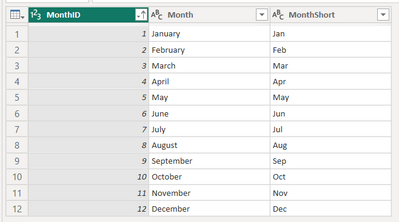
2. Created a calculated column via Dax (see below) so this can be used instead. However, I'm just getting a "circular dependency" error was created instead when trying to sort Month by the Month_Number column.
Month_Number = SWITCH (
'ds_miningdata PreVitalStats__Prelim_Vital_Stats_Tonnage'[Month]
,"December",12 ,"November",11 ,"October",10 ,"September",09 ,"August",08 ,"July",07
,"June",06 ,"May",05 ,"April",04 ,"March",03 ,"February",02 ,"January",01)
Because my source is Direct Query, I am unable to sort my months by column in Data View. I already made sure the months are indexed on my date column, but still no luck as they are defaulting to sorting alphabetically.
The only way to make the order correctly applied is to have the columns be the Month numbers instead, but this is not preferred.
Any ideas?
Thank you


