cancel
Showing results for 
Search instead for 
Did you mean: 

The FabCon + SQLCon recap series starts April 14th at 8am Pacific. If you’re tracking where AI is going inside Fabric, this first session is a can't miss. Register now

Reply
parry2k
Super User
Super User

Azure SQL Refresh Frequency using Direct Query

Hello all,


THis is my first test with Azure SQL Service. Here are the details:


1. Created reports/graph using Azure SQL Server in PowerBI Desktop via Direct Query.

2. Published the report to PowerBI Services.

3. Created dashboard from the reports and enabled last refresh time on one of the tile on dashboard.


Last refresh time on my tile was 12:59PM and next refresh happened at  1:30PM (approx. after 30 minutes)


Question here is:


1. How frequent dashboard tiles get refreshed?

2. Can this be changed? (Couldn't find out anywhere on dataset)

3. How it is different if you use "get data" in PowerBI Service to connect to same Azure SQL Server and create all reports in PowerBI Service?


Thanks in advance,


P


Subscribe to the @PowerBIHowTo YT channel for an upcoming video on List and Record functions in Power Query!!

Learn Power BI and Fabric - subscribe to our YT channel - Click here: @PowerBIHowTo

If my solution proved useful, I'd be delighted to receive Kudos. When you put effort into asking a question, it's equally thoughtful to acknowledge and give Kudos to the individual who helped you solve the problem. It's a small gesture that shows appreciation and encouragement! ❤


Did I answer your question? Mark my post as a solution. Proud to be a Super User! Appreciate your Kudos 🙂
Feel free to email me with any of your BI needs.

5 REPLIES 5
ankitpatira
Community Champion
Community Champion

@parry2k


1. Dashboard tile cache gets refreshed every 15 minutes

2. This can't be changed at the moment

3. Get Data in powerbi service is about connecting to Azure from PowerBI and like desktop DirectQuery there is live connection to Azure from Powerbi. This will not have any effect on dashboard tiles I believe.

As per my example, it didn't refresh in 15 minutes. I will keep an eye to see how often it does refresh. unfortunately it doesn't show in the refresh history how often it is refreshing.


Thanks,

Parv


Subscribe to the @PowerBIHowTo YT channel for an upcoming video on List and Record functions in Power Query!!

Learn Power BI and Fabric - subscribe to our YT channel - Click here: @PowerBIHowTo

If my solution proved useful, I'd be delighted to receive Kudos. When you put effort into asking a question, it's equally thoughtful to acknowledge and give Kudos to the individual who helped you solve the problem. It's a small gesture that shows appreciation and encouragement! ❤


Did I answer your question? Mark my post as a solution. Proud to be a Super User! Appreciate your Kudos 🙂
Feel free to email me with any of your BI needs.

As per my example, it didn't refresh in 15 minutes. I will keep an eye to see how often it does refresh, refresh history doesn't show anything.


Thanks,

Parv


Subscribe to the @PowerBIHowTo YT channel for an upcoming video on List and Record functions in Power Query!!

Learn Power BI and Fabric - subscribe to our YT channel - Click here: @PowerBIHowTo

If my solution proved useful, I'd be delighted to receive Kudos. When you put effort into asking a question, it's equally thoughtful to acknowledge and give Kudos to the individual who helped you solve the problem. It's a small gesture that shows appreciation and encouragement! ❤


Did I answer your question? Mark my post as a solution. Proud to be a Super User! Appreciate your Kudos 🙂
Feel free to email me with any of your BI needs.

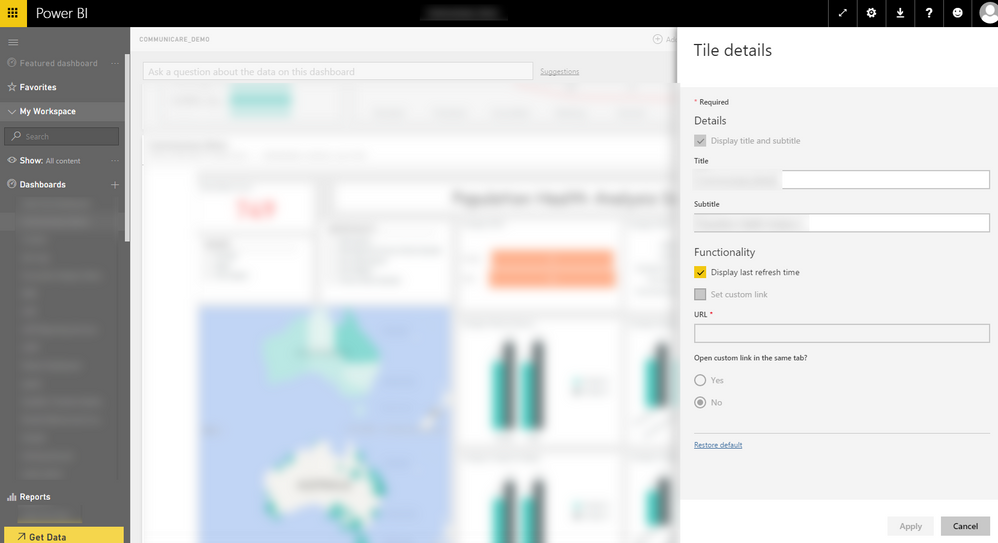
@parry2k You can turn on tile refresh time display by clicking on three dots on top right hand corner of tile -> Tiile Details -> Display refresh time.


2016-05-11_15-02-59.png

@ankitpatira


May I know what is the tile type in your snapshot, I can't find the checkbox display last refresh time anywhere.
Thanks in advance.

Helpful resources

Announcements
New to Fabric survey Carousel

New to Fabric Survey

If you have recently started exploring Fabric, we'd love to hear how it's going. Your feedback can help with product improvements.

Power BI DataViz World Championships carousel

Power BI DataViz World Championships - June 2026

A new Power BI DataViz World Championship is coming this June! Don't miss out on submitting your entry.

Join our Fabric User Panel

Join our Fabric User Panel

Share feedback directly with Fabric product managers, participate in targeted research studies and influence the Fabric roadmap.

March Power BI Update Carousel

Power BI Community Update - March 2026

Check out the March 2026 Power BI update to learn about new features.