Join us at FabCon Atlanta from March 16 - 20, 2026, for the ultimate Fabric, Power BI, AI and SQL community-led event. Save $200 with code FABCOMM.
Register now!The Power BI Data Visualization World Championships is back! Get ahead of the game and start preparing now! Learn more
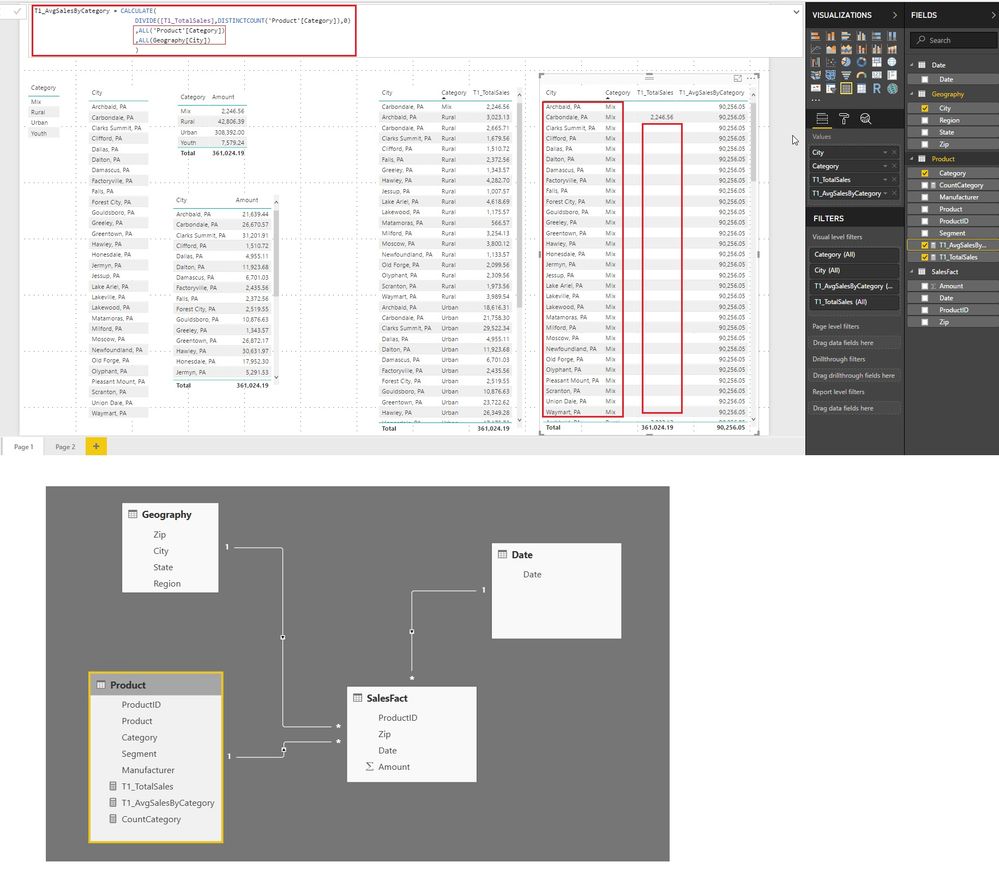
When i use a table visual and have the avg measure with the Category and City dimension, it creates a cross join to show all possible combinations of the dimensions which is causing an issue.
Does any one know why this happens and how to avoid this ?
Any help is appreciated.
Hi @sd782
If possible please share your data and the final output expected on one drive or google drive and share the link to find a solution.
Cheers
CheenuSing
Hi @Anonymous
Please find the pbix file located at: https://1drv.ms/u/s!AnD3xad1CmGkaf1PY6XvyNtDClE
Let me know if you are able to access it.
What i am trying to create is a table visual which has the following columns:
City | Category | TotalSales(Measure) | AvgSalesByCategory(Measure)
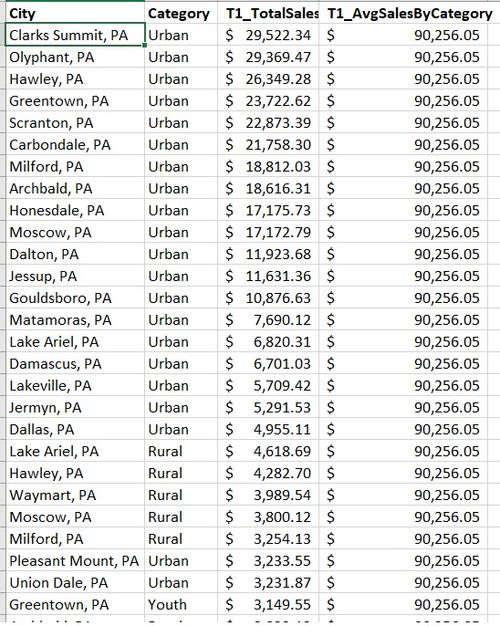
In the first 3 columns, i want to see the Total Sales amount for every distinct combination of City and Category and i want the 4th column to show me the Average Sales By All Categories (which would be a constant value and should repeat on all rows).
But what i currently observe is that i do not get an inner join of City and Category columns on the table visual, but a cross join with all the possible combinations of City-Category and Blanks for TotalSales for the wrong combinations.
Please let me know if you need more info.
The Power BI Data Visualization World Championships is back! Get ahead of the game and start preparing now!
Check out the November 2025 Power BI update to learn about new features.
| User | Count |
|---|---|
| 59 | |
| 46 | |
| 42 | |
| 23 | |
| 17 |
| User | Count |
|---|---|
| 190 | |
| 122 | |
| 96 | |
| 66 | |
| 47 |