Join us at FabCon Atlanta from March 16 - 20, 2026, for the ultimate Fabric, Power BI, AI and SQL community-led event. Save $200 with code FABCOMM.
Register now!The Power BI Data Visualization World Championships is back! Get ahead of the game and start preparing now! Learn more
Hello
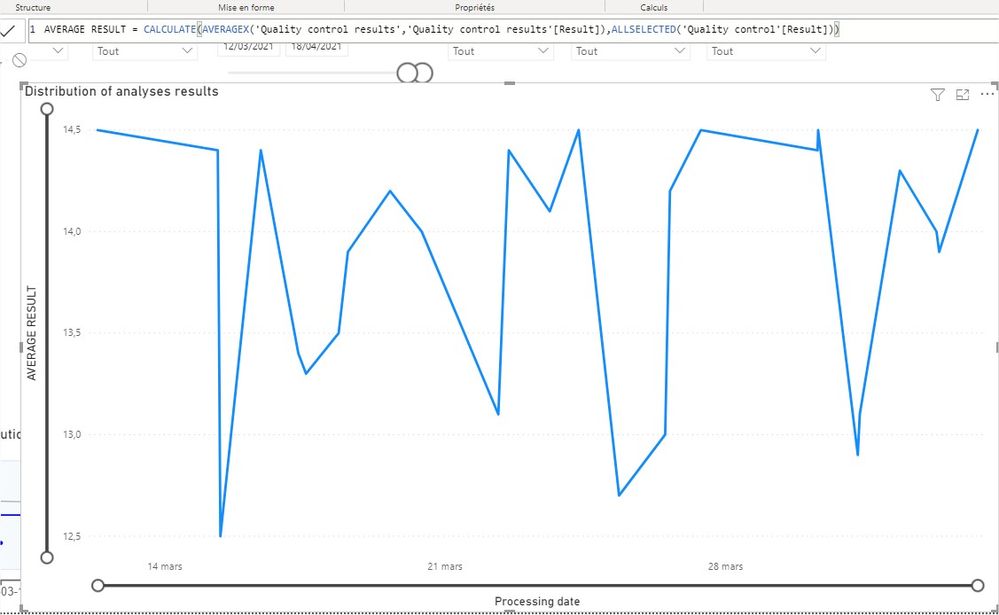
I'm trying to do a control chart by using the lines graphic.
For that I need to add on the graphic a constant line that will be the average of all my results from the column Result of my tab.
So I have done this measure :
But it doesn't work, as I don't have a constant line : it's doign the same graphic as if I had only put the column "Result" in the value of the graphic in fact .
Thank you for your help!
Solved! Go to Solution.
HI @matdel ,
In that case you can modify your average caluclation DAX as follows:
AVERAGE RESULT = CALCULATE(AVERAGE('Quality control results'[Result]), ALL('Quality control'))
You don't have to use AVERAGEX to achieve this. Because it evaluates an expression for each row. You need a single average value for your RESULT column therefore you need to use AVERAGE.
Thanks,
Pragati
HI @matdel ,
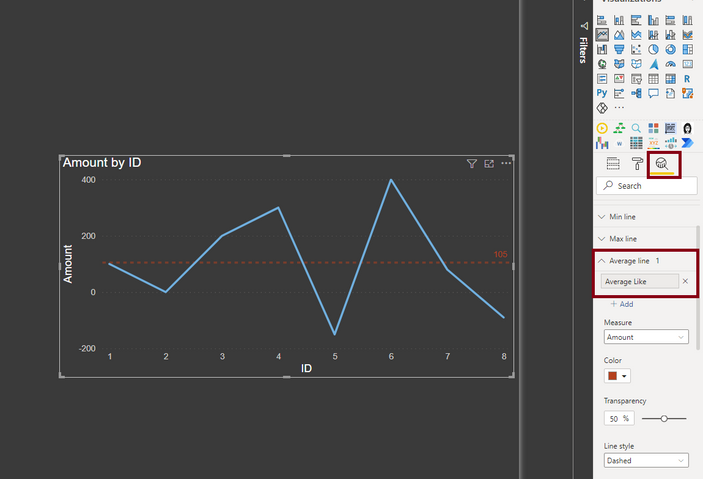
You can simply add a average line using the Analytics Pane feature on a Line chart visual. You don't need a calculation for it. See an example below:
Thanks,
Pragati
Yes, thanks, but actually after I need also to calculate UCL and LCL from the average, to put them on the graphic also
HI @matdel ,
In that case you can modify your average caluclation DAX as follows:
AVERAGE RESULT = CALCULATE(AVERAGE('Quality control results'[Result]), ALL('Quality control'))
You don't have to use AVERAGEX to achieve this. Because it evaluates an expression for each row. You need a single average value for your RESULT column therefore you need to use AVERAGE.
Thanks,
Pragati
Thank you!! it works 🙂
The Power BI Data Visualization World Championships is back! Get ahead of the game and start preparing now!
| User | Count |
|---|---|
| 38 | |
| 37 | |
| 33 | |
| 32 | |
| 29 |
| User | Count |
|---|---|
| 132 | |
| 88 | |
| 82 | |
| 68 | |
| 64 |