cancel
Showing results for 
Search instead for 
Did you mean: 

The Power BI Data Visualization World Championships is back! Get ahead of the game and start preparing now! Learn more

Reply
Anonymous
Not applicable

Average Line

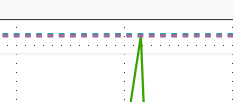
How come when I add average line, it shows up like this?

Capture.PNG

4 REPLIES 4
v-jiascu-msft
Microsoft Employee
Microsoft Employee

Hi @Anonymous,


Did you solve your issue? can you mark an answer, please?


Best Regards,

Dale

Community Support Team _ Dale
If this post helps, then please consider Accept it as the solution to help the other members find it more quickly.
quentin_vigne
Solution Sage
Solution Sage

Hi @Anonymous


It looks like you added a Max Line and not an average line. (Both sections are close to each other)


- Quentin

Anonymous
Not applicable

When I add a max line also, both show up in the same spot.Capture.PNG

Hi @Anonymous,


Can you share the file?

1. Please check how did you set the line.

2. Please enable the labels to check if the line has the right values.

Average_Line


Best Regards,

Dale

Community Support Team _ Dale
If this post helps, then please consider Accept it as the solution to help the other members find it more quickly.

Helpful resources

Announcements
Power BI DataViz World Championships

Power BI Dataviz World Championships

The Power BI Data Visualization World Championships is back! Get ahead of the game and start preparing now!

December 2025 Power BI Update Carousel

Power BI Monthly Update - December 2025

Check out the December 2025 Power BI Holiday Recap!

FabCon Atlanta 2026 carousel

FabCon Atlanta 2026

Join us at FabCon Atlanta, March 16-20, for the ultimate Fabric, Power BI, AI and SQL community-led event. Save $200 with code FABCOMM.