Hi @leoc ,
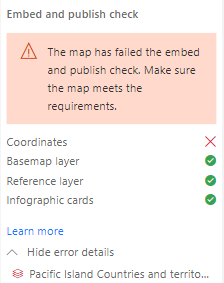
About the map has failed the embed and publish check,refer:
- You must be signed in to a valid ArcGIS account with the appropriate user type.
- To create a map-enabled report in Power BI, you must be signed in to Power BI with a Pro or Premium account. Report consumers must sign in to Power BI to view a report in an embedded environment. If the ArcGIS for Power BI visual contains private data, they must also sign in to ArcGIS.
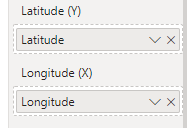
- Power BI data used to create the ArcGIS for Power BI map must use latitude and longitude coordinates for locations. If the Location field well contains addresses or standard boundaries, publishing to the web will not work.
- A published map can contain a maximum of 30,000 locations.
- You must run the ArcGIS for Power BI publishing precheck before generating an embed code for the report.
- Consumers must sign in to view embedded reports containing secure content.
https://doc.arcgis.com/en/power-bi/design/embed-report.htm
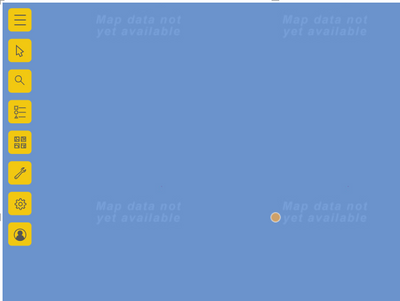
And you could try to disable automatic zoom.ArcGIS for Power BI maps are dynamic—they automatically pan and zoom to a location when you add pins or layers to the map, filter other visuals, or otherwise interact with the map.
Sometimes, you want the map extent—that is, the current size and position of the map view—to remain locked in position so that the map doesn't automatically zoom when other events cause the map to update. Locking the map view allows you to work with the map while maintaining a consistent view of the map.
Details refer:
https://doc.arcgis.com/en/power-bi/design/lock-map-extent.htm
Did I answer your question? Mark my post as a solution!
Best Regards
Lucien