cancel
Showing results for 
Search instead for 
Did you mean: 

The Power BI Data Visualization World Championships is back! Get ahead of the game and start preparing now! Learn more

Reply
leahschneider
Helper III
Helper III

ArcGIS not loading in desktop

Edit:  I loaded my data onto someone else's computer and it works there.  I think it's an issue with my personal configuration but I'm at a loss because I'm fully up to date and rebooted.


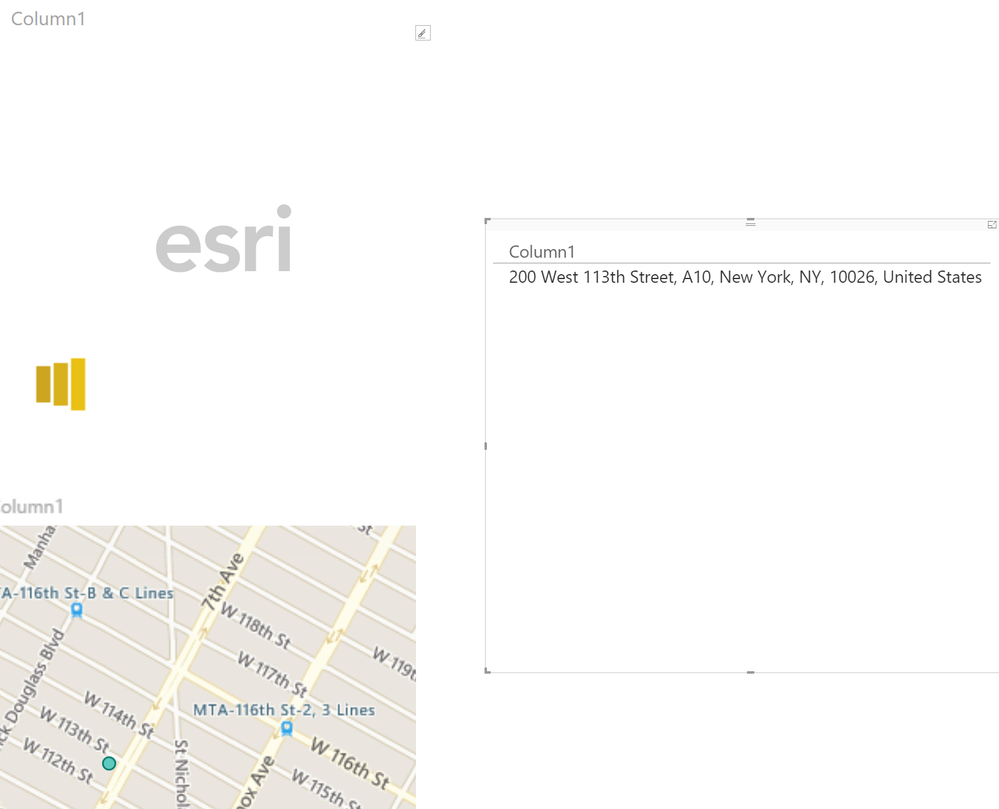
ArcGIS is showing "esri" and the loading symbol when I try to use the mapping.  I tried reinstalling.  I have the latest update.


Screen shot of test data below.  I have a table with one address which I know is real and correct.  It's mapping correctly in regular BI Maps.                                               test bi data.PNG


7 REPLIES 7
apforum
New Member

Hi, I have a similar problem, in that I cant even install the ArcGIS Maps for Power BI in Power BI Desktop.

Running Version: 2.48.4792.481 64-bit (July 2017). I have ticked the ArcGIS Maps for Power BI box (NB: its in Options/ Security not Options/Preview Features) and restarted but the green map icon wont appear in the Visualisation list.

I have unticked and reticked the box in Options, uninstalled and reinstalled the software, and deleted the cache as suggested, but all to no avail.

It works in PBI Service and I have created a report here with an ArcGIS map, downloaded it as a .pbix file, and opened it in Desktop, but all I get is a white square.

v-sihou-msft
Microsoft Employee
Microsoft Employee

@leahschneider@Justinjla


Please delete the cache folder under:


%LocalAppData%\Microsoft\Power BI Desktop\CEF


Just paste above path in your file explorer. It should solve this issue.


Regards,

This worked for me, thank you Simon!

Sean
Community Champion
Community Champion

@leahschneider

Try and Copy (Ctrl+C) the Regular Map - Paste it (Ctrl-V) and then convert it to ArcGIS Map

ESRI Map.png

It's still the same issue with mine.

I'm having the same issue.  I can view the native map just fine.  I've checked all the ArcGIS boxes in the settings view.  HELP!


Yes.  I just reinstalled it today.

Helpful resources

Announcements
Power BI DataViz World Championships

Power BI Dataviz World Championships

The Power BI Data Visualization World Championships is back! Get ahead of the game and start preparing now!

December 2025 Power BI Update Carousel

Power BI Monthly Update - December 2025

Check out the December 2025 Power BI Holiday Recap!

FabCon Atlanta 2026 carousel

FabCon Atlanta 2026

Join us at FabCon Atlanta, March 16-20, for the ultimate Fabric, Power BI, AI and SQL community-led event. Save $200 with code FABCOMM.