I searched as much I could, and I could not find anyone with this same issue, so, if it has already been posted, I appologize.
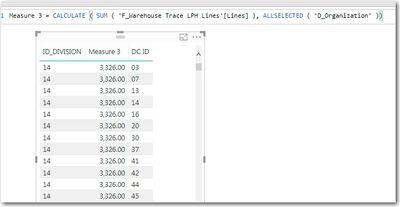
When I use ALL() in a measure, it causes the related data to repeat.
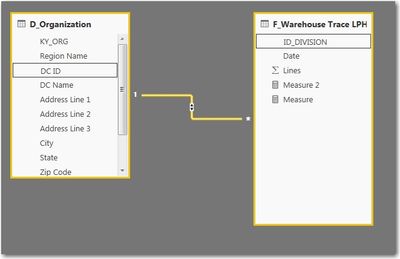
In the data, I have ID_DIVISION in a fact table, that is related to DC ID in a dimension table. The relationships are setup as many to one, with a single direction filter.
When I create the below measure, everything lines up (left table in screenshot below)
Measure = CALCULATE(sum('F_Warehouse Trace LPH Lines'[Lines]))But when I add ALL(), it is almost like it looses the relationship, and DC ID repeats over and over again (right table in screenshot below)
CALCULATE(sum('F_Warehouse Trace LPH Lines'[Lines]),all('F_Warehouse Trace LPH Lines'))What am I missing, or doing wrong? All I am trying to do is get the total to show for all selected (I need the total to be dynamic based on the selected records.. I have tried ALLSELECTED, SUMX(ALL()), and almost every variation I could think of, but I must be missing something.