Join us at FabCon Atlanta from March 16 - 20, 2026, for the ultimate Fabric, Power BI, AI and SQL community-led event. Save $200 with code FABCOMM.
Register now!The Power BI Data Visualization World Championships is back! Get ahead of the game and start preparing now! Learn more
Hi all,
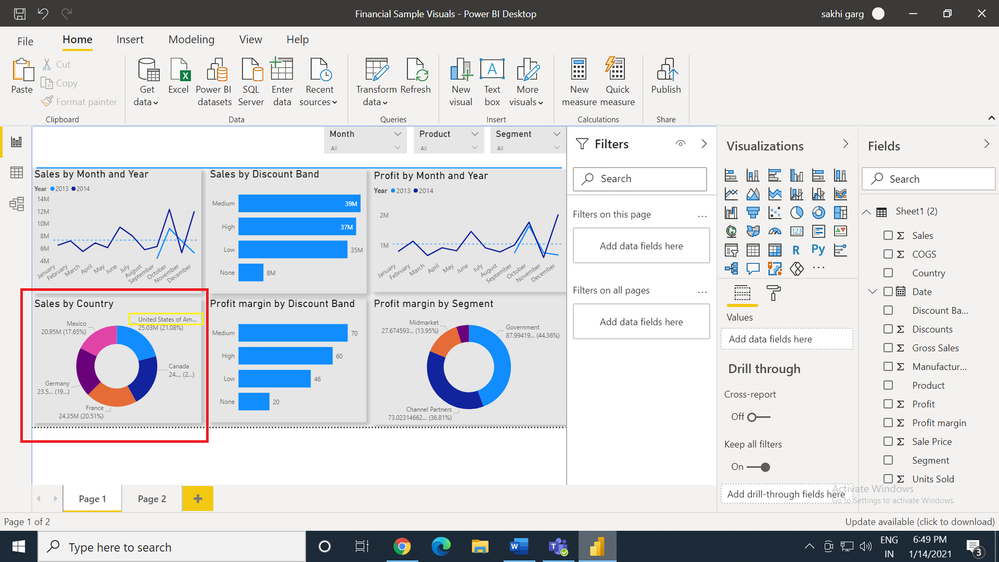
As shown in below screenshot, in my "sales by country" donut chart all the names are not completely shown. Like "Unitee States of America" is not shown completely. This is a sample data. In my actual data many names are not completely shown. I don't want to adjust the size of my chart. Is it possible that I can wrap the text liek in excel, so the remaining words just simply shift to another line?
Also is there a way to adjust the outer radius of donut chart so that country name have more space to be fully shown? I can only see "inside radius" in formatting options.
Thanks,
Sakhi
Solved! Go to Solution.
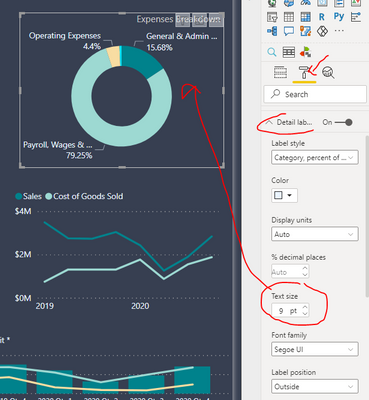
Hi @Anonymous
Regards
Amine Jerbi
If I answered your question, please mark this thread as accepted
and you can follow me on
My Website, LinkedIn and Facebook
I don't recall such way but you can change the font familly
Or try to find other visual on the market
Regards
Amine Jerbi
If I answered your question, please mark this thread as accepted
and you can follow me on
My Website, LinkedIn and Facebook
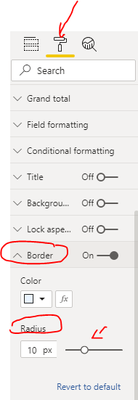
Hi @Anonymous
Regards
Amine Jerbi
If I answered your question, please mark this thread as accepted
and you can follow me on
My Website, LinkedIn and Facebook
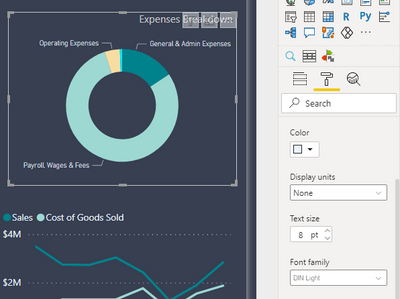
Hi @aj1973 Thanks for the reply. In my actual chart, the text size is the smallest, still its not shown completely. I there a way I can put remaining words in next line?
I don't recall such way but you can change the font familly
Or try to find other visual on the market
Regards
Amine Jerbi
If I answered your question, please mark this thread as accepted
and you can follow me on
My Website, LinkedIn and Facebook
Check out the November 2025 Power BI update to learn about new features.
Advance your Data & AI career with 50 days of live learning, contests, hands-on challenges, study groups & certifications and more!
| User | Count |
|---|---|
| 58 | |
| 45 | |
| 41 | |
| 20 | |
| 18 |
| User | Count |
|---|---|
| 172 | |
| 110 | |
| 91 | |
| 55 | |
| 45 |