Join us at FabCon Atlanta from March 16 - 20, 2026, for the ultimate Fabric, Power BI, AI and SQL community-led event. Save $200 with code FABCOMM.
Register now!Vote for your favorite vizzies from the Power BI Dataviz World Championship submissions. Vote now!
Hi All,
I would like to add a custom column in query.I have shipping date in sales table - unfortunately original formt is text and day and month is otherway around.
So I wrote the following Custom column fomular like I did in table .. but it does not work in query.
"Expression.Error:The name'date' wasn't recognized. Make sure it'spelled correctly."
=date(year([Date]),DAY([Date]),MONTH([Date]))
What it went wrong?
All the best,
LoveParis
"day and month is otherway around" Can you show us a date exactly please?
Hi HotChilli,
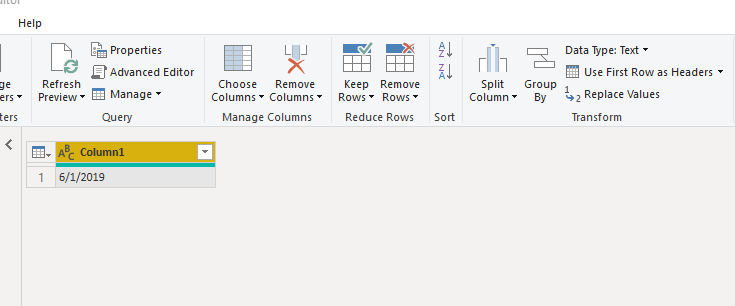
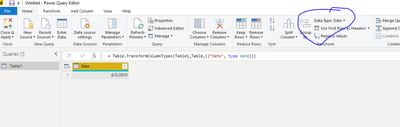
Thank you for your message. It looks like this. The original data is stored as text and when I try to convert to date by Data Type, I get 6 Jan 2019 while it is supposed to be 1 Jun 2019. I want to add new column and amend it in query.
All the best,
LoveParis
Hi @paris ,
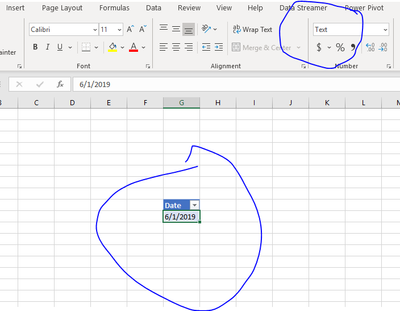
To try to match your issue, I created a table in Excel with date as a text field.
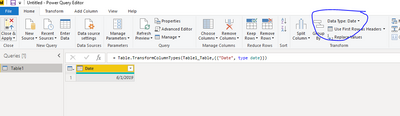
Then used PQ to bring it into PBI and it was brought in as a date field and formatted correctly.
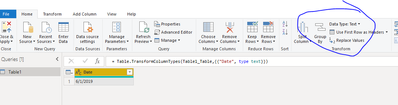
So, I changed it back to a text field in the query.
And then changed it back to a date field. It formatted correctly.
It seems to be working as expected...can you provide us more detail?
Thanks,
Proud to be a Super User!
Hi @paris ,
You might also check your regional settings:
If this solves your issue, please consider marking this as the solution.
Proud to be a Super User!
Vote for your favorite vizzies from the Power BI World Championship submissions!
If you love stickers, then you will definitely want to check out our Community Sticker Challenge!
Check out the January 2026 Power BI update to learn about new features.
| User | Count |
|---|---|
| 55 | |
| 53 | |
| 40 | |
| 17 | |
| 16 |
| User | Count |
|---|---|
| 123 | |
| 108 | |
| 44 | |
| 32 | |
| 26 |