Join us at FabCon Atlanta from March 16 - 20, 2026, for the ultimate Fabric, Power BI, AI and SQL community-led event. Save $200 with code FABCOMM.
Register now!The Power BI Data Visualization World Championships is back! It's time to submit your entry. Live now!
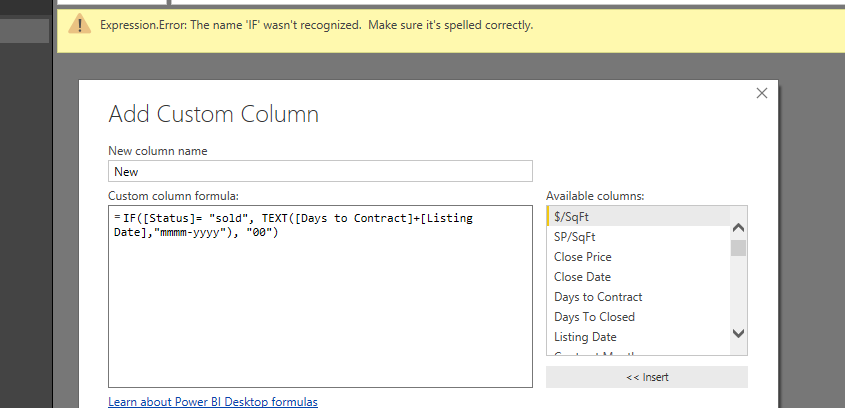
IF([Status]= "sold", TEXT([Days to Contract]+[Listing Date],"mmmm-yyyy"), "00")
When I use this DAX formula it working prefectly in Excel.
But when I use this in Power BI it give me error message "IF" word is not reconsigned please let me know how I can fix this.
Solved! Go to Solution.
Hi @Anonymous,
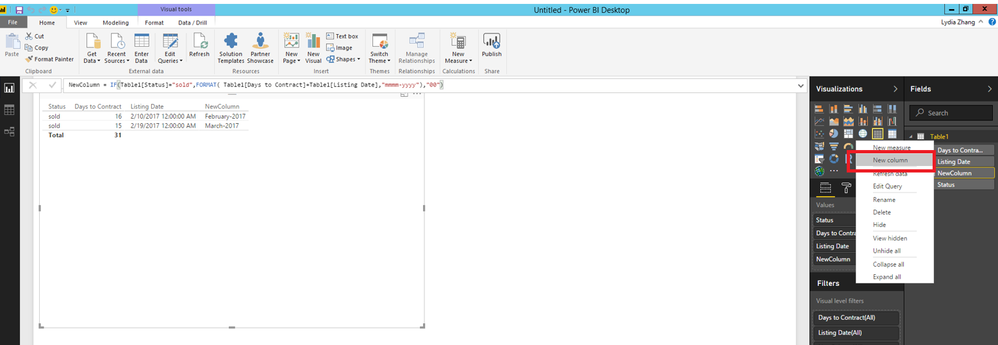
In Power BI Desktop Report view, right-click your table and select “New Column”, then apply the following DAX.
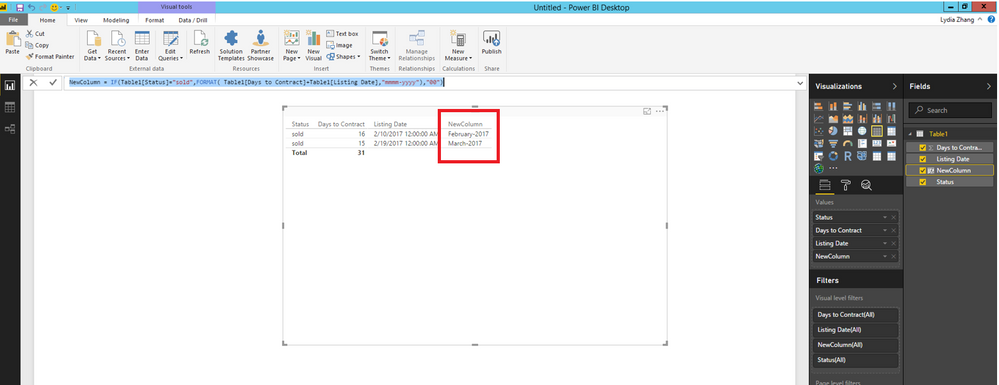
NewColumn = IF(Table1[Status]="sold",FORMAT( Table1[Days to Contract]+Table1[Listing Date],"mmmm-yyyy"),"00")
Thanks,
Lydia Zhang
Hi @Anonymous,
In Power BI Desktop Report view, right-click your table and select “New Column”, then apply the following DAX.
NewColumn = IF(Table1[Status]="sold",FORMAT( Table1[Days to Contract]+Table1[Listing Date],"mmmm-yyyy"),"00")
Thanks,
Lydia Zhang
It looks like you're in the query editor. The query editor does not use the DAX language. You need to learn the power query language. https://msdn.microsoft.com/en-us/library/mt211003.aspx
The syntax for an if statement in Power Query is "if <condition> then <result> else <result>". The language is case sensitive.
Proud to be a Super User!
The Power BI Data Visualization World Championships is back! It's time to submit your entry.
Check out the January 2026 Power BI update to learn about new features.
| User | Count |
|---|---|
| 60 | |
| 49 | |
| 30 | |
| 25 | |
| 23 |
| User | Count |
|---|---|
| 130 | |
| 103 | |
| 58 | |
| 39 | |
| 31 |