Don't miss your chance to take the Fabric Data Engineer (DP-600) exam for FREE! Find out how by watching the DP-600 session on-demand now through April 28th.
Learn moreJoin the FabCon + SQLCon recap series. Up next: Power BI, Real-Time Intelligence, IQ and AI, and Data Factory take center stage. All sessions are available on-demand after the live show. Register now
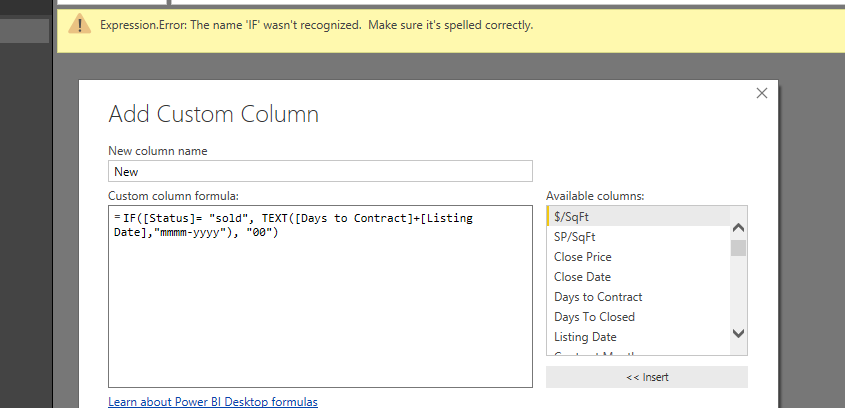
IF([Status]= "sold", TEXT([Days to Contract]+[Listing Date],"mmmm-yyyy"), "00")
When I use this DAX formula it working prefectly in Excel.
But when I use this in Power BI it give me error message "IF" word is not reconsigned please let me know how I can fix this.
Solved! Go to Solution.
Hi @Anonymous,
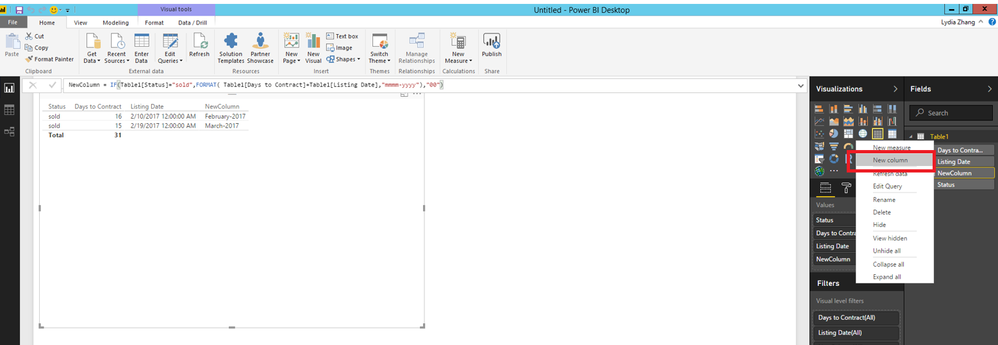
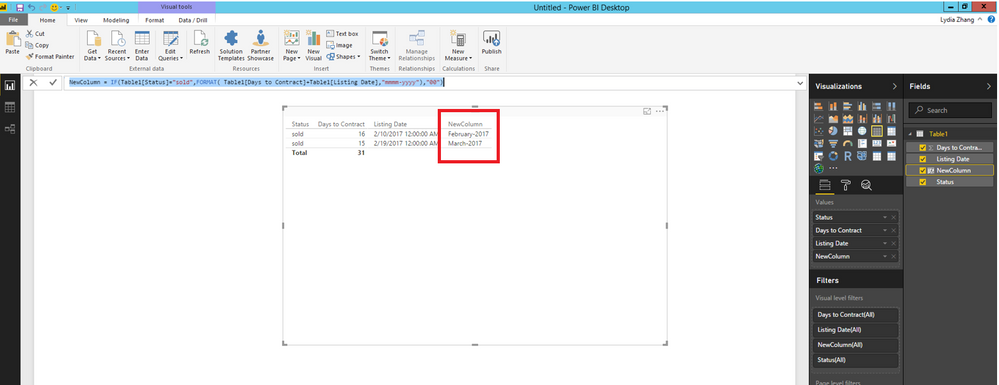
In Power BI Desktop Report view, right-click your table and select “New Column”, then apply the following DAX.
NewColumn = IF(Table1[Status]="sold",FORMAT( Table1[Days to Contract]+Table1[Listing Date],"mmmm-yyyy"),"00")
Thanks,
Lydia Zhang
Hi @Anonymous,
In Power BI Desktop Report view, right-click your table and select “New Column”, then apply the following DAX.
NewColumn = IF(Table1[Status]="sold",FORMAT( Table1[Days to Contract]+Table1[Listing Date],"mmmm-yyyy"),"00")
Thanks,
Lydia Zhang
It looks like you're in the query editor. The query editor does not use the DAX language. You need to learn the power query language. https://msdn.microsoft.com/en-us/library/mt211003.aspx
The syntax for an if statement in Power Query is "if <condition> then <result> else <result>". The language is case sensitive.
Check out the April 2026 Power BI update to learn about new features.
If you have recently started exploring Fabric, we'd love to hear how it's going. Your feedback can help with product improvements.
A new Power BI DataViz World Championship is coming this June! Don't miss out on submitting your entry.
| User | Count |
|---|---|
| 45 | |
| 38 | |
| 34 | |
| 21 | |
| 17 |
| User | Count |
|---|---|
| 66 | |
| 65 | |
| 31 | |
| 26 | |
| 26 |