Join us at FabCon Atlanta from March 16 - 20, 2026, for the ultimate Fabric, Power BI, AI and SQL community-led event. Save $200 with code FABCOMM.
Register now!The Power BI Data Visualization World Championships is back! Get ahead of the game and start preparing now! Learn more
Hello,
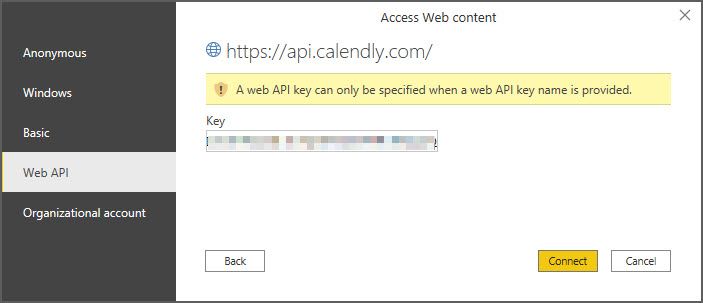
I am trying to figure out how to connect to our company's Calendly account to view appointments, etc. Calendly's support told me that I just need my API from them to connect in Power BI. I have tried many combinations using the "From Web" connector with no luck. Has anyone made this connection?
Jim
I tried using a Client ID, Webhook Signing Key, Secret that Calendly sent me. No luck.
@Anonymous I tried using a Client ID, Webhook Signing Key, Secret that Calendly sent me. No luck.
Try connecting using Anonymous authentication and Put the access token in the header like this : Authorization: Bearer <TOKEN>
Hi, @Anonymous
Please refer to these related documents.
https://community.powerbi.com/t5/Desktop/Connecting-Power-BI-with-API/m-p/533527
Best Regards,
Community Support Team _ Eason
How did you connect? using bearer token? Can you share a screenshot of the error you are getting?
The Power BI Data Visualization World Championships is back! Get ahead of the game and start preparing now!
Check out the November 2025 Power BI update to learn about new features.
| User | Count |
|---|---|
| 66 | |
| 47 | |
| 43 | |
| 26 | |
| 19 |
| User | Count |
|---|---|
| 198 | |
| 126 | |
| 102 | |
| 67 | |
| 50 |