Join us at FabCon Atlanta from March 16 - 20, 2026, for the ultimate Fabric, Power BI, AI and SQL community-led event. Save $200 with code FABCOMM.
Register now!The Power BI Data Visualization World Championships is back! Get ahead of the game and start preparing now! Learn more
Hello,
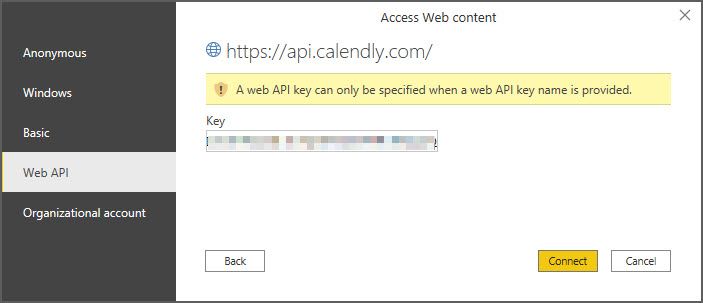
I am trying to figure out how to connect to our company's Calendly account to view appointments, etc. Calendly's support told me that I just need my API from them to connect in Power BI. I have tried many combinations using the "From Web" connector with no luck. Has anyone made this connection?
Jim
I tried using a Client ID, Webhook Signing Key, Secret that Calendly sent me. No luck.
@Anonymous I tried using a Client ID, Webhook Signing Key, Secret that Calendly sent me. No luck.
Try connecting using Anonymous authentication and Put the access token in the header like this : Authorization: Bearer <TOKEN>
Hi, @Anonymous
Please refer to these related documents.
https://community.powerbi.com/t5/Desktop/Connecting-Power-BI-with-API/m-p/533527
Best Regards,
Community Support Team _ Eason
How did you connect? using bearer token? Can you share a screenshot of the error you are getting?
The Power BI Data Visualization World Championships is back! Get ahead of the game and start preparing now!
| User | Count |
|---|---|
| 63 | |
| 55 | |
| 42 | |
| 41 | |
| 23 |
| User | Count |
|---|---|
| 167 | |
| 136 | |
| 120 | |
| 79 | |
| 54 |