Join us at FabCon Atlanta from March 16 - 20, 2026, for the ultimate Fabric, Power BI, AI and SQL community-led event. Save $200 with code FABCOMM.
Register now!Vote for your favorite vizzies from the Power BI Dataviz World Championship submissions. Vote now!
Hi,
I want to get data from an API.
I need the data to be pulled each month for the previous month only, I dont need to append the data only monthly data.
how do i write it so it will be equivalent
to the following query in sql:
where datepart(month,UpdatedAt) = datepart(month,dateadd(month, -1,getdate()))
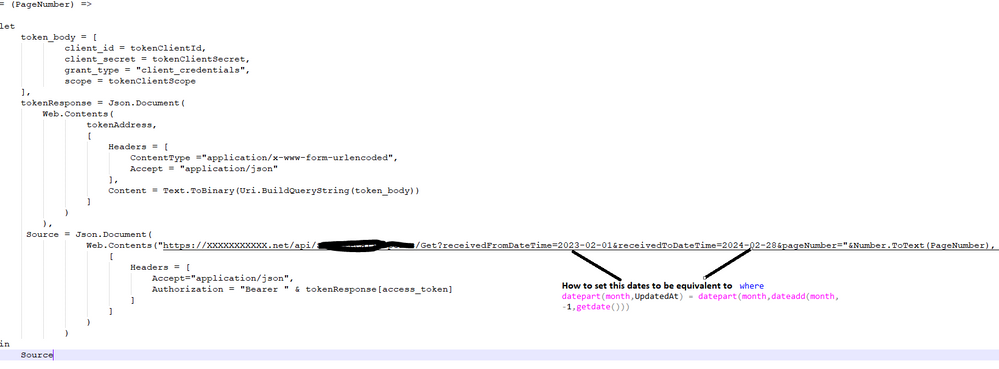
Here is my API call:
= (PageNumber) =>
let
token_body = [
client_id = tokenClientId,
client_secret = tokenClientSecret,
grant_type = "client_credentials",
scope = tokenClientScope
],
tokenResponse = Json.Document(
Web.Contents(
tokenAddress,
[
Headers = [
ContentType ="application/x-www-form-urlencoded",
Accept = "application/json"
],
Content = Text.ToBinary(Uri.BuildQueryString(token_body))
]
)
),
Source = Json.Document(
Web.Contents("https://XXXXXXXXXXX.net/api/XXXXX/Get?receivedFromDateTime=2023-02-01&receivedToDateTime=2024-02-28&..."&Number.ToText(PageNumber),
[
Headers = [
Accept="application/json",
Authorization = "Bearer " & tokenResponse[access_token]
]
]
)
)
in
Source
thank you
Solved! Go to Solution.
Hi @LiliLPo
You can use this code to create the Start and End dates for the previous month
Now = Date.AddMonths(Date.From(DateTime.LocalNow()), -1)
SOM = Date.ToText(Date.StartOfMonth(Now), [Format="yyyy-MM-dd"]),
EOM = Date.ToText(Date.EndOfMonth(Now), [Format="yyyy-MM-dd"])
Then use these in your URL like this
Web.Contents("https://XXXXXXXXXXX.net/api/XXXXX/Get?receivedFromDateTime="&SOM&"&receivedToDateTime="&EOM&"&......."
Regards
Phil
Proud to be a Super User!
THANK YOU SO MUCH 😀 it workedI
Hi @LiliLPo
You can use this code to create the Start and End dates for the previous month
Now = Date.AddMonths(Date.From(DateTime.LocalNow()), -1)
SOM = Date.ToText(Date.StartOfMonth(Now), [Format="yyyy-MM-dd"]),
EOM = Date.ToText(Date.EndOfMonth(Now), [Format="yyyy-MM-dd"])
Then use these in your URL like this
Web.Contents("https://XXXXXXXXXXX.net/api/XXXXX/Get?receivedFromDateTime="&SOM&"&receivedToDateTime="&EOM&"&......."
Regards
Phil
Proud to be a Super User!
Vote for your favorite vizzies from the Power BI World Championship submissions!
If you love stickers, then you will definitely want to check out our Community Sticker Challenge!
Check out the January 2026 Power BI update to learn about new features.
| User | Count |
|---|---|
| 58 | |
| 53 | |
| 43 | |
| 17 | |
| 16 |
| User | Count |
|---|---|
| 122 | |
| 108 | |
| 44 | |
| 32 | |
| 24 |