
Join us at FabCon Atlanta from March 16 - 20, 2026, for the ultimate Fabric, Power BI, AI and SQL community-led event. Save $200 with code FABCOMM.
Register now!The Power BI Data Visualization World Championships is back! Get ahead of the game and start preparing now! Learn more
I can't get rid of this message when I go to my notebook.
The Delta lake it goes to has been deleted.
I can see the current one in the list but its greyed out so I cant use it. And every time I start spark I get this message. Even though the code works (Up to creating the PARQUET file from the data frame I have created) can anyone tell me how to resolve this because I have been trying all mroning
Solved! Go to Solution.
Hi @DebbieE,
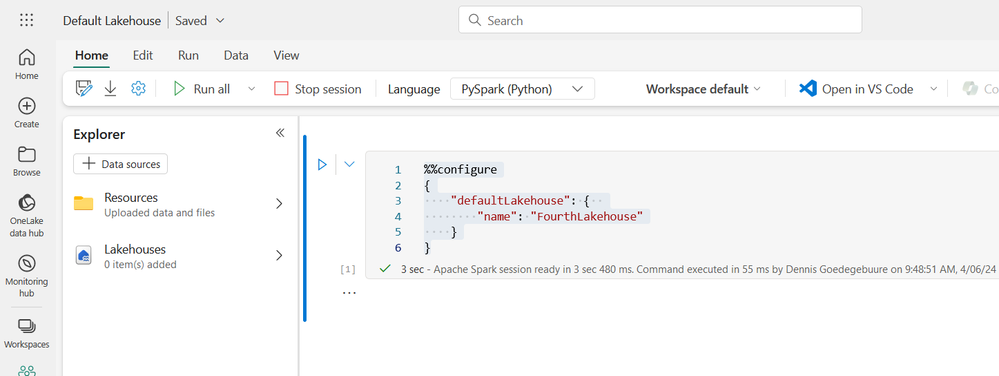
You can use the %%configure magic to set a different lakehouse as the default for your Spark session
Below is an example
%%configure
{
"defaultLakehouse": {
"name": "FourthLakehouse"
}
}
Fantastic. than worked. Thank you
Hi @DebbieE
Glad to know that your query got answered.
Please continue using Fabric Community on your further queries.
Thanks.
Hi @DebbieE,
You can use the %%configure magic to set a different lakehouse as the default for your Spark session
Below is an example
%%configure
{
"defaultLakehouse": {
"name": "FourthLakehouse"
}
}