Join us at FabCon Atlanta from March 16 - 20, 2026, for the ultimate Fabric, Power BI, AI and SQL community-led event. Save $200 with code FABCOMM.
Register now!The Power BI Data Visualization World Championships is back! Get ahead of the game and start preparing now! Learn more
Hello Experts
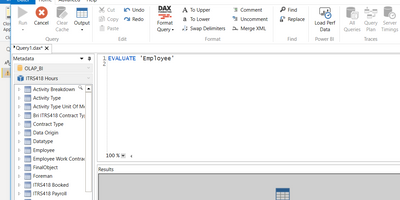
I'm wondering if somebody can give me some guidline how to do or if its even possible to query a SSAS with power query with a DAX-statement (not MDX). I tried to use DAX-studio to give it a try, and a simple DAX-query like Evaluate 'Employee' works just fine. (see on the left side up, also a subcube is specified - ITRS... hours)
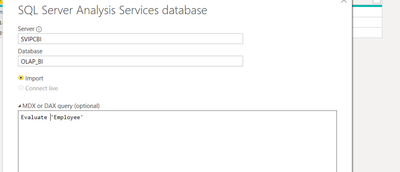
the thing I would like to achieve is to use a DAX-query in the power query connector for SSAS
and it's not working. I get this error
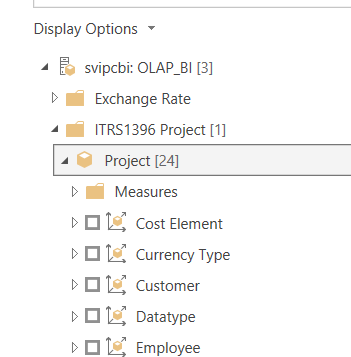
What I've noticed is that we have in our database "OLAP_BI" whe have some folders/subcubes and in the PBI connector I can only define a Database. So how can I possible define a subcube with DAX? like I'm doing in MDX with FROM [Project]?
Any help is really appreciated
BR
Jimmy
@Jimmy801 If I understand correctly you are trying to query MDX cube with DAX, right? I don't think that's possible, you can use MDX to query DAX but not the other way around.
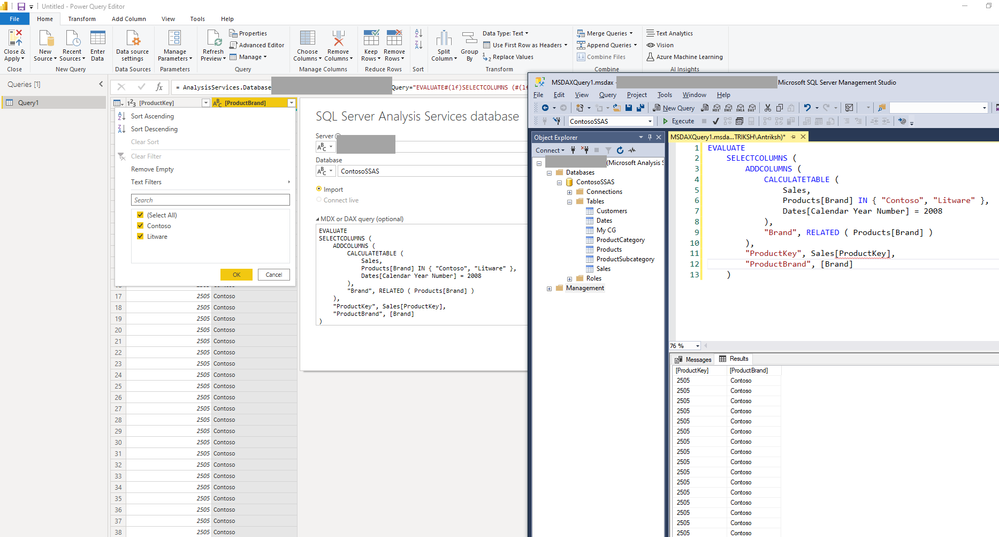
With DAX I can get easily data from a SSAS Tabular Model into Power query:
Hello @AntrikshSharma
many thanks for your answer. I cannot tell you if I have a MDX-cube. But even if so... I'm able to query it with DAX-Studio where this statement gives me the table Employee
I can navigate on the left to the database OLAP_BI and can choose the subcube ITRS418 Hours.
But on Power Query my only parameter is the Database OLAP_BI
in MDX you would write FROM [ITRS418 Hours]. Is there any way to query this cube with DAX?
BR
Jimmy
@Jimmy801 Yup, I have Tabular model deployed, I no experience with MDX. Why don't you write MDX script in the input box? I think it works in DAX studio because Excel generates MDX code, so it could be working only for compatibility and ease of use. But anything other than that may not have an idea of EVALUATE syntax.
Hello @AntrikshSharma
I already wrote. But as sometimes I have performance issues and because I've some more experience in DAX, I would prefer to write the query in DAX. But it seems no way to achieve this in my situation. What a pity
BR
Jimmy
Check out the November 2025 Power BI update to learn about new features.
Advance your Data & AI career with 50 days of live learning, contests, hands-on challenges, study groups & certifications and more!
| User | Count |
|---|---|
| 21 | |
| 10 | |
| 9 | |
| 4 | |
| 4 |
| User | Count |
|---|---|
| 34 | |
| 31 | |
| 19 | |
| 13 | |
| 10 |