Get certified for free when you join Fabric Data Days 2026 and dive into Fabric, Power BI, SQL, AI, and other essential data skills.
Join nowData Days is here! Join us now for 60+ days of learning, challenges, and connection. Learn more
Table 1 CustomerMaster:
| CustomerNumber | Customer Name |
| 100 | Apple |
| 101 | Microsoft |
Table 2, Open invoices in ERP:
| CustomerNumber | Invoice | Amount |
| 100 | 3 | 1000 |
| 100 | 4 | 2000 |
| 101 | 5 | 3000 |
Table 3, Open invoices InvoicePartner:
| CustomerNumber | Invoice | Amount |
| 100 | 3 | 1000 |
| 101 | 5 | 3000 |
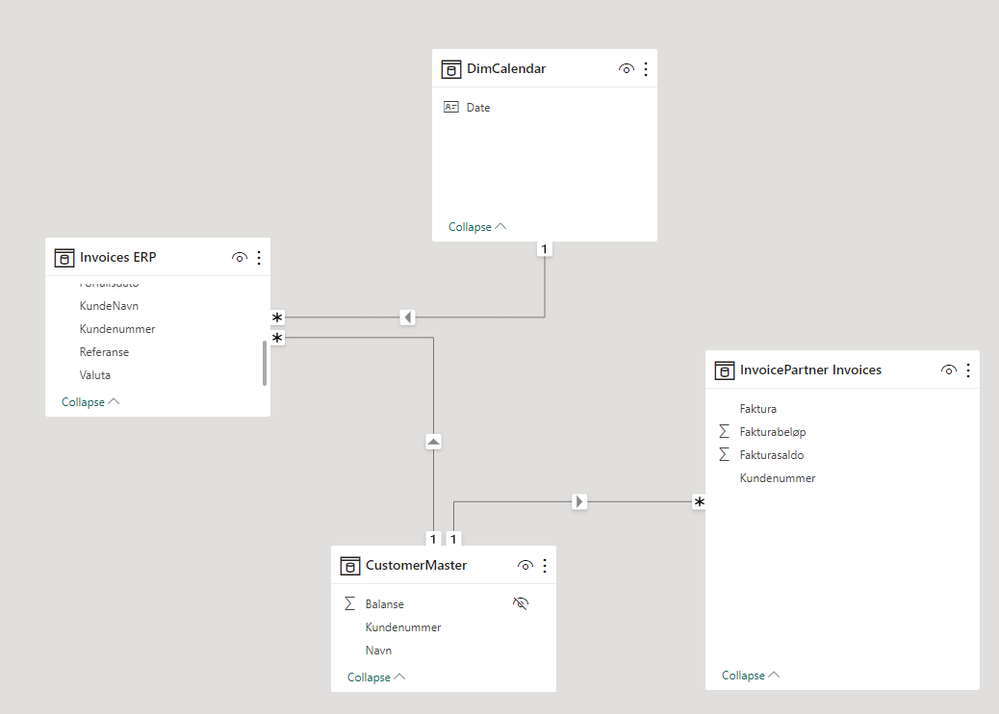
Relationship is on KundeNummer in each table.
I have a measure to calculate the difference of these two tables.
Measure is:
Difference = VAR _DIFF_CHECK = [SUM ERP]-[SUM InvoicePartner] Return IF(_DIFF_CHECK<>0, _DIFF_CHECK)
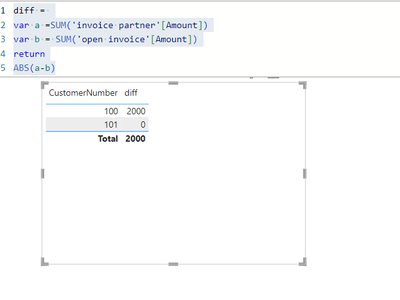
it returns this:
| CustomerNumber | Difference |
| 100 | 2000 |
| 101 | 0 |
How can i create a card visual/measure to say that number of customers with difference is 1?
i am not able to do a countIF(Difference<>0)
Solved! Go to Solution.
To create a card visual or measure that displays the number of customers with differences in the "Difference" measure, you can follow these steps:
CountOfCustomersWithDifferences = COUNTROWS(FILTER(CustomerMaster, [Difference] <> 0))
This measure counts the rows in the "CustomerMaster" table where the "Difference" measure is not equal to 0.
Add a card visual to your report.
In the card visual, use the "CountOfCustomersWithDifferences" measure as the value to display.
Now, your card visual will show the number of customers with differences in their invoices. If the "Difference" measure is not equal to 0 for a customer, it will be counted in this card visual. In your example data, it will show "1" because there is one customer with a difference (CustomerNumber 100).
To create a card visual or measure that displays the number of customers with differences in the "Difference" measure, you can follow these steps:
CountOfCustomersWithDifferences = COUNTROWS(FILTER(CustomerMaster, [Difference] <> 0))
This measure counts the rows in the "CustomerMaster" table where the "Difference" measure is not equal to 0.
Add a card visual to your report.
In the card visual, use the "CountOfCustomersWithDifferences" measure as the value to display.
Now, your card visual will show the number of customers with differences in their invoices. If the "Difference" measure is not equal to 0 for a customer, it will be counted in this card visual. In your example data, it will show "1" because there is one customer with a difference (CustomerNumber 100).
Don't miss out on Data Days, June 15 through August 7. Learn Fabric, Power BI, SQL, AI and more.
Check out the May 2026 Power BI update to learn about new features.
| User | Count |
|---|---|
| 3 | |
| 2 | |
| 2 | |
| 1 | |
| 1 |