
cancel
Showing results for 
Search instead for 
Did you mean: 

Try your skills in the Power BI Dataviz World Championship! Round one ends June 26. Join now

Reply
rosemilo
Frequent Visitor

Extracting String Using LEFT and SEARCH function

Hello,


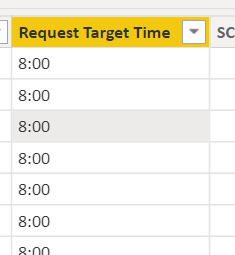
I'm trying to extract the number before the colon (see example below) using DAX. 

rosemilo_0-1652293205883.png


Here are the steps I did:

1. To return the specified number of characters I want (it worked)

   c_Search Request Target Time = SEARCH(":", 'MyRequest_Consolidated'[Request Target Time],,LEN('MyRequest_Consolidated'[Request Target Time]))-1

2. To extract the number before the colon 

c_Request Target Time = LEFT('MyRequest_Consolidated'[Request Target Time], MyRequest_Consolidated[c_Search Request Target Time]) 
The second formula returns the error below:
rosemilo_1-1652293420343.png


Is there any other way to extract the number I need before the colon (:)? The data type of the column is "Text". Thank you!

1 ACCEPTED SOLUTION
tamerj1
Community Champion
Community Champion

Hi @rosemilo 

please try


c_Request Target Time =
IF (
    MyRequest_Consolidated[c_Search Request Target Time] > 0,
    LEFT (
        'MyRequest_Consolidated'[Request Target Time],
        MyRequest_Consolidated[c_Search Request Target Time]
    )
)


View solution in original post

3 REPLIES 3
tamerj1
Community Champion
Community Champion

Hi @rosemilo 

please try


c_Request Target Time =
IF (
    MyRequest_Consolidated[c_Search Request Target Time] > 0,
    LEFT (
        'MyRequest_Consolidated'[Request Target Time],
        MyRequest_Consolidated[c_Search Request Target Time]
    )
)


Thank you! It worked! 😊

tamerj1
Community Champion
Community Champion

@rosemilo 

Can you please provide sample data?

Helpful resources

Announcements
Fabric Data Days is here Carousel

Fabric Data Days 2026

Don't miss out on Data Days, June 15 through August 7. Learn Fabric, Power BI, SQL, AI and more.

May Power BI Update Carousel

Power BI Monthly Update - May 2026

Check out the May 2026 Power BI update to learn about new features.

Power BI DataViz World Championships carousel

Power BI DataViz World Championships - June 2026

A new Power BI DataViz World Championship is coming this June! Don't miss out on submitting your entry.