cancel
Showing results for 
Search instead for 
Did you mean: 

Level up your Power BI skills this month - build one visual each week and tell better stories with data! Get started

Reply
Sheref_Morad
Frequent Visitor

Divide Function

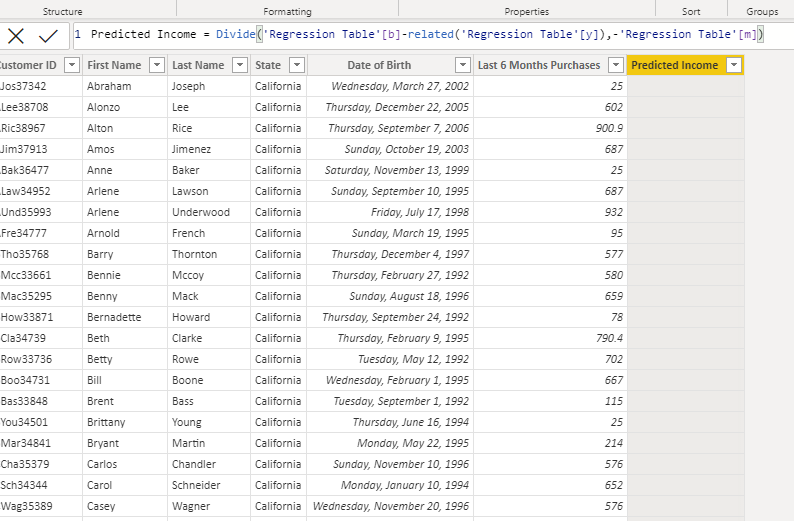
I am trying to create a calculated column in the customer table for predicted customer incomes using the divide Function and gives me a Blank column, although the formula is correct Screenshot Power Bi.png

1 ACCEPTED SOLUTION

@Sheref_Morad 
Here is your fil with the solution https://www.dropbox.com/t/CChylr4UPd28RtxH
Measures are automatically wrapped with CALCULATE which forces context transition. On the other hand using the formulas directly will be extremely complicated. Therefore, use can do the following:

Predicted Income = 
    Divide (  
        RELATED ( 'Regression Table'[y] ) - CALCULATE ( [b], ALL ( 'Regression Table' ) ), 
        CALCULATE ( [m], ALL ( 'Regression Table' ) )
    )

This shall solve your problem.

View solution in original post

5 REPLIES 5
mem
New Member

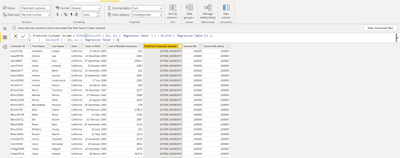
Hello, I have the same problem. Even though I placed the correct formula the values are wrong.Screenshot 78.png

johnt75
Super User
Super User

Adding columns to the customer table which simply calculate [b] and [m] both return blank results, hence the blank result in your divide formula. You can use CALCULATE( [b], REMOVEFILTERS('Customer List')), which returns a value, but without a deep understanding of your model I don't know if there are only specific columns on Customer List which should have filters removed, or if there are other filters on other tables which should be removed.

tamerj1
Community Champion
Community Champion

Hi @Sheref_Morad 

I guess you have One to One relationship between the customer table and the regression table. In this case I think you've missed to wrap column [b] and column [m] with RELATED function. 

Hi tamer
thank you for answering, the problem is still the same M the other thing is  m and b are measures not columns
Here the power Bi file I hope you yook take a look at it , specially the customer table and the regression table
https://bit.ly/3pzNo5r 

@Sheref_Morad 
Here is your fil with the solution https://www.dropbox.com/t/CChylr4UPd28RtxH
Measures are automatically wrapped with CALCULATE which forces context transition. On the other hand using the formulas directly will be extremely complicated. Therefore, use can do the following:

Predicted Income = 
    Divide (  
        RELATED ( 'Regression Table'[y] ) - CALCULATE ( [b], ALL ( 'Regression Table' ) ), 
        CALCULATE ( [m], ALL ( 'Regression Table' ) )
    )

This shall solve your problem.

Helpful resources

Announcements
April Power BI Update Carousel

Power BI Monthly Update - April 2026

Check out the April 2026 Power BI update to learn about new features.

Fabric SQL PBI Data Days

Data Days 2026 coming soon!

Sign up to receive a private message when registration opens and key events begin.

New to Fabric survey Carousel

New to Fabric Survey

If you have recently started exploring Fabric, we'd love to hear how it's going. Your feedback can help with product improvements.

Power BI DataViz World Championships carousel

Power BI DataViz World Championships - June 2026

A new Power BI DataViz World Championship is coming this June! Don't miss out on submitting your entry.