
cancel
Showing results for 
Search instead for 
Did you mean: 

The Power BI Data Visualization World Championships is back! Get ahead of the game and start preparing now! Learn more

Reply
garyhumphreys
Regular Visitor

Difference with Measure and column Dax calculations

Hi, 


I hope this hasn't already been asked - I did look for it but couldn't find anything 


I have a measure and a calculated column, both have the formula: "LastFriday = Today() - Weekday(Today(),1)"


However they return different values. as of today of testing (30/05/2022), 

The measure returns 27/05/22 , which is the date I want

The Column returns 28/05/22 Which is annoying.


Is this a known issue? or am I misunderstanding something?


Thanks in advance for any help on this matter

1 ACCEPTED SOLUTION
garyhumphreys
Regular Visitor

@Whitewater100 , @amitchandak 


Thank you both for your replies, after knowing which date others got it helped me narrow down the problem.


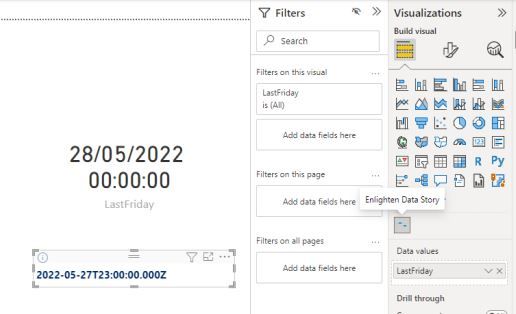
When I viewed my Visual in "Visual Table" It showed as the 28th, but the display was wrong. (image 1). So i displayed the date on a Card Visual and it shows the 28th!


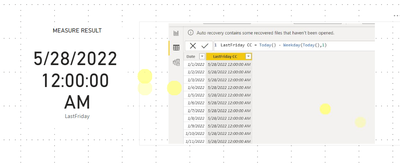
The Enlighten Data Story Visual I am using is what was causing the display error giving me the 27th! (image2)


Thank you both for the help on this!


Image 1

Different Values.JPG


Image 2

The Answer.JPG

View solution in original post

4 REPLIES 4
garyhumphreys
Regular Visitor

@Whitewater100 , @amitchandak 


Thank you both for your replies, after knowing which date others got it helped me narrow down the problem.


When I viewed my Visual in "Visual Table" It showed as the 28th, but the display was wrong. (image 1). So i displayed the date on a Card Visual and it shows the 28th!


The Enlighten Data Story Visual I am using is what was causing the display error giving me the 27th! (image2)


Thank you both for the help on this!


Image 1

Different Values.JPG


Image 2

The Answer.JPG

Whitewater100
Solution Sage
Solution Sage

Hi:

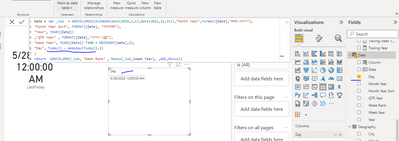
Could it be that you need to have yourDate Table marked as date table? Please see attached model set up and comparisons?

https://drive.google.com/file/d/1FHi3tAapY2C4kVb_hc25oreQmUnFi27m/view?usp=sharing 


Whitewater100_0-1653915456893.png


amitchandak
Super User
Super User

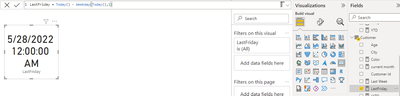
@garyhumphreys , I am getting 28th for both

measure


amitchandak_0-1653910438262.png


amitchandak_1-1653910535942.png


Share with Power BI Enthusiasts: Full Power BI Video (20 Hours) YouTube
Microsoft Fabric Series 60+ Videos YouTube
Microsoft Fabric Hindi End to End YouTube

Hi amitchandak


Thanks for your response, Im not exactly sure why mine is showing as it does, when I use the Formula in a measure it gives me a Time value of 23:00. I'm sure this is why I'm getting a different date but I'm unsure as to what is controling this seeing as I use the same formula. 


As a column: 

Column.JPG


As a measure:

Measure.JPG

Helpful resources

Announcements
November Power BI Update Carousel

Power BI Monthly Update - November 2025

Check out the November 2025 Power BI update to learn about new features.

Fabric Data Days Carousel

Fabric Data Days

Advance your Data & AI career with 50 days of live learning, contests, hands-on challenges, study groups & certifications and more!

FabCon Atlanta 2026 carousel

FabCon Atlanta 2026

Join us at FabCon Atlanta, March 16-20, for the ultimate Fabric, Power BI, AI and SQL community-led event. Save $200 with code FABCOMM.