cancel
Showing results for 
Search instead for 
Did you mean: 

Level up your Power BI skills this month - build one visual each week and tell better stories with data! Get started

Reply
SteveMBSDO
Helper I
Helper I

Date Hierarchy shows Blanks in Visual

Hello,


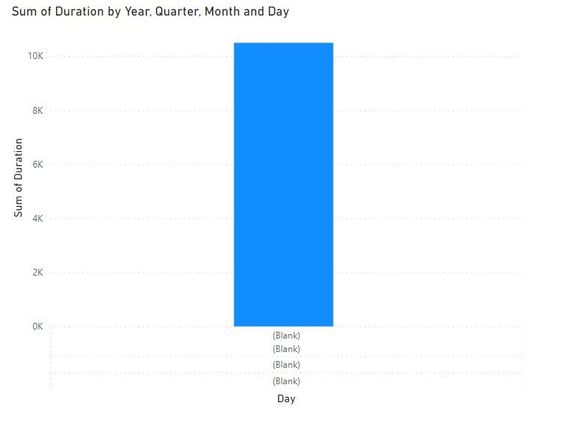
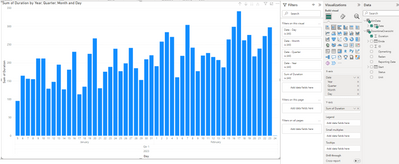
When I want to visualize [Duration] on a Date x-axis the visual doesn’t recognize the date hierarchy and I get (Blank) instead. See picture. How can I solve this to make it look like the last picture attached? I think I'm missing something basic...


SteveMBSDO_0-1677228862697.jpeg


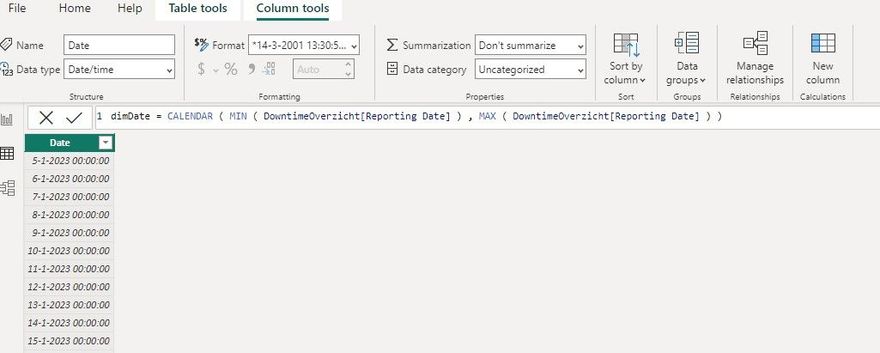
I created a Date Table using the following DAX:

SteveMBSDO_1-1677228862701.jpeg


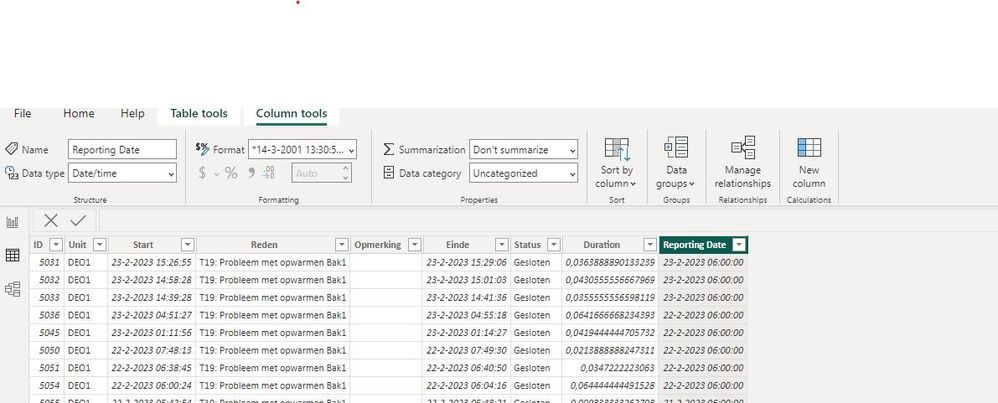
This is the format of the original date in the FACT Table:

tbl1 Reporting Date.jpg


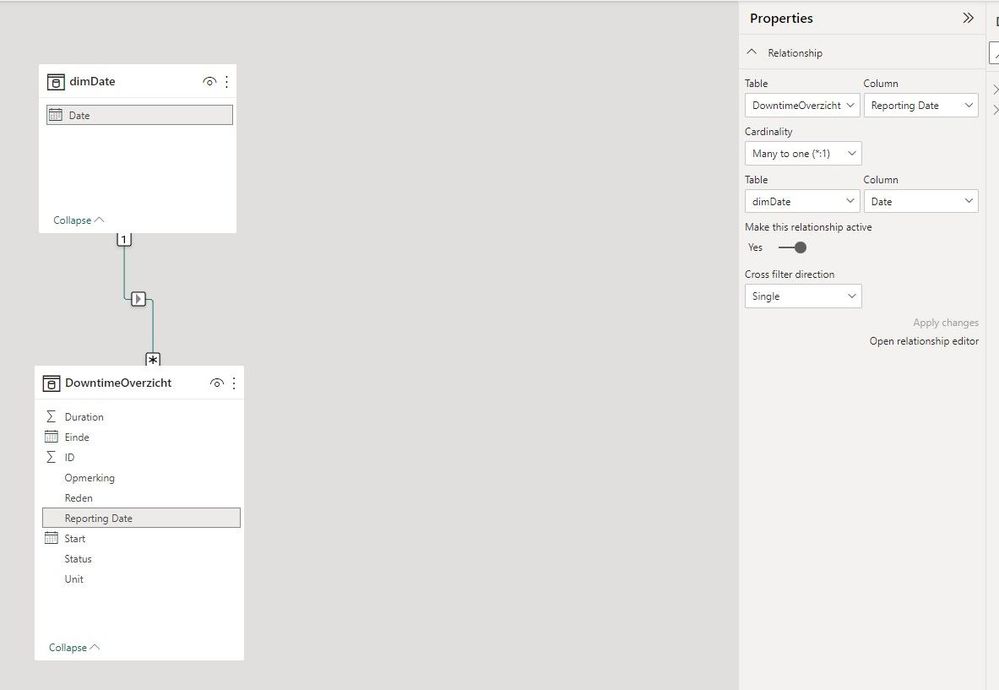
This is how I’ve set up the relationship between the [Date Table] and [Reporting Date]

Relationship.jpg


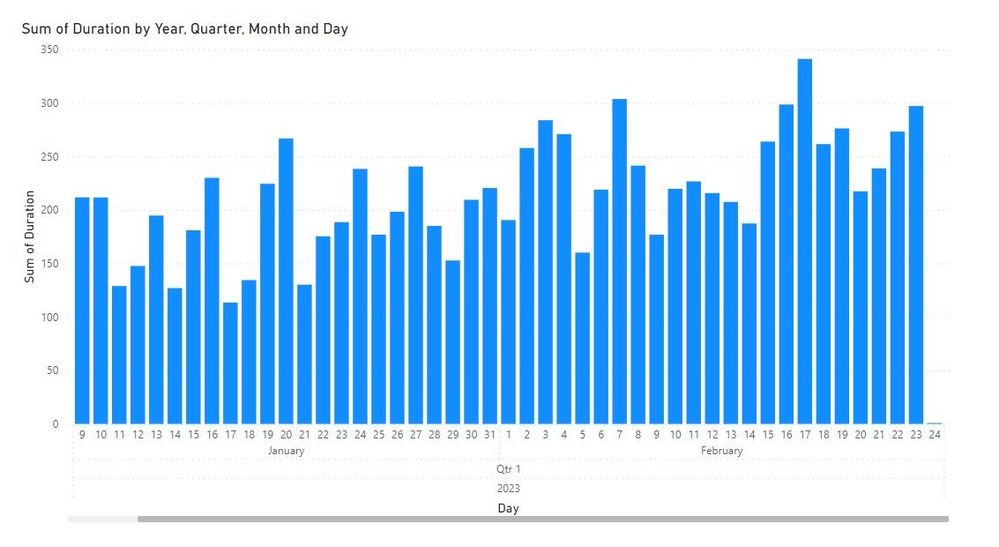
When I just use [Duration] and [Reporting Date] from the same table I get the result I want, but I want to use the dimension table because I have to add new tables later on.


Graph.jpg

Thank you!

1 ACCEPTED SOLUTION
andhiii079845
Solution Sage
Solution Sage

I see the problem in your screenshot: dimDate is DD-MM-YYYY 00:00:00 but in your FACT table: DD-MM-YYYY 06:00:00. They will not join via the relationsship.

You have to separate date and time in the fact and dim table.


Did I answer your question? Mark my post as a solution!

Proud to be a Super User!


View solution in original post

5 REPLIES 5
andhiii079845
Solution Sage
Solution Sage

I see the problem in your screenshot: dimDate is DD-MM-YYYY 00:00:00 but in your FACT table: DD-MM-YYYY 06:00:00. They will not join via the relationsship.

You have to separate date and time in the fact and dim table.


Did I answer your question? Mark my post as a solution!

Proud to be a Super User!


Awesome thank you! I've adjusted the 6:00 to 0:00 in Power Query and now they match!


SteveMBSDO_0-1677230119892.png


One advice. If you not need the time than separate it from the the date. One column for date, one for time. But fine that it works. 🙂


Did I answer your question? Mark my post as a solution!

Proud to be a Super User!


andhiii079845
Solution Sage
Solution Sage

Do you have perhaps a .pbix file? 


Did I answer your question? Mark my post as a solution!

Proud to be a Super User!


Yes, but how can I upload it to here?

Helpful resources

Announcements
April Power BI Update Carousel

Power BI Monthly Update - April 2026

Check out the April 2026 Power BI update to learn about new features.

Fabric SQL PBI Data Days

Data Days 2026 coming soon!

Sign up to receive a private message when registration opens and key events begin.

New to Fabric survey Carousel

New to Fabric Survey

If you have recently started exploring Fabric, we'd love to hear how it's going. Your feedback can help with product improvements.

Power BI DataViz World Championships carousel

Power BI DataViz World Championships - June 2026

A new Power BI DataViz World Championship is coming this June! Don't miss out on submitting your entry.