Join us at FabCon Atlanta from March 16 - 20, 2026, for the ultimate Fabric, Power BI, AI and SQL community-led event. Save $200 with code FABCOMM.
Register now!The Power BI Data Visualization World Championships is back! Get ahead of the game and start preparing now! Learn more
Hello,
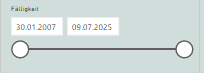
do one have one an idea.... i calculate backgroud color, dependig on "selected valuse".
Do one have an idea how to calculate it by DATA?
Excepct, when not "all" than change color.
Here an expamle for anonther measurement
Solved! Go to Solution.
@Anonymous , You have use isfiltered
Debitor = IF(isfiltered(Sheet1[Debitor]) , "#FF8C00", "#85b8cb")
Refer: https://www.youtube.com/watch?v=hXg3kRFSGjA
https://powerpivotpro.com/2013/03/hasonevalue-vs-isfiltered-vs-hasonefilter/
@Anonymous , You have use isfiltered
Debitor = IF(isfiltered(Sheet1[Debitor]) , "#FF8C00", "#85b8cb")
Refer: https://www.youtube.com/watch?v=hXg3kRFSGjA
https://powerpivotpro.com/2013/03/hasonevalue-vs-isfiltered-vs-hasonefilter/
Well thank you at first... your sulution is pretty cool but the solution i´m using works also.
But this wasn´t the hint for my problem.
Does ony one know the solution in my case?
Ok, i was to fast, sorry!!!
The solution ist "isfiltered"
Check out the November 2025 Power BI update to learn about new features.
Advance your Data & AI career with 50 days of live learning, contests, hands-on challenges, study groups & certifications and more!
| User | Count |
|---|---|
| 20 | |
| 10 | |
| 9 | |
| 4 | |
| 4 |
| User | Count |
|---|---|
| 34 | |
| 31 | |
| 19 | |
| 12 | |
| 10 |