Hi,
I need to create a table similar to the following:
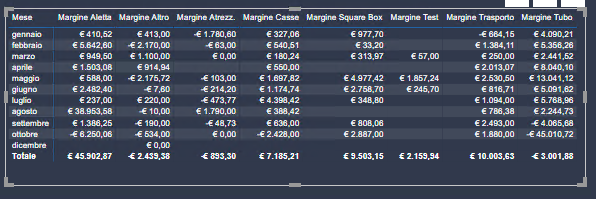
with month as row and different measures as column or even better the measures as row. The reason is that I want to use the measures as a filter and see their values in a single chart.
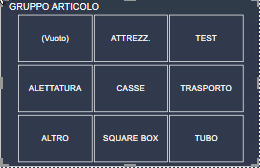
Each measure is obtained by subtracting two addittional measures that combine multiple tables:
for example, the Tubes Margin is:
TUBE REVENUES =
VAR Tube = CALCULATE (SUM ('*PRICE'[€ TUBES]))
VAR Tubes = CALCULATE (SUM ('CRM'[Value]), 'CRM'[Type] IN {"Tubes Revenue"}, NOT ('CRM'[Value] = BLANK ()))
RETURN
CALCULATE(IF(Tube <> BLANK (), Tube, Tubes)
TUBE COST =
CALCULATE(SUM('ORDERS'[Total Cost]), '*PRODUCT'[GROUP] IN {"TUBES"}
TUBE MARGIN =
TUBE REVENUES - TUBE COST
There are 8 similar margin formulas in total.
I'd like to create a table with the margin for each product divided by month like FILTER('CRM', 'CRM'[Data]))
Thanks!


