Join us at FabCon Atlanta from March 16 - 20, 2026, for the ultimate Fabric, Power BI, AI and SQL community-led event. Save $200 with code FABCOMM.
Register now!The Power BI Data Visualization World Championships is back! Get ahead of the game and start preparing now! Learn more
Hi Everyone,
Need the help of calculating the previous week's total number of hours compared to the current week when using a slicer filter.
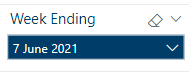
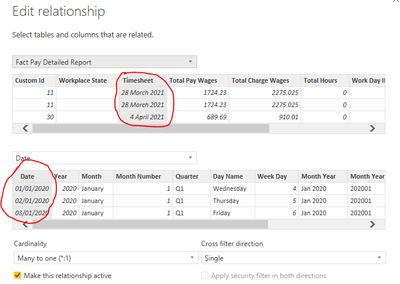
I am using the weekending slicer which is based on the fact table.
Here's my measure.
Total Hours Previous Week =
CALCULATE( [Total Hours Worked],
DATESINPERIOD( 'Fact Pay Detailed Report'[Timesheet], MAX( 'Fact Pay Detailed Report'[Timesheet] ), -7, DAY ))Total Hours Worked = SUM( 'Fact Pay Detailed Report'[Total Hours] )
Solved! Go to Solution.
This one works :O)
Total Hours Previous Week =
CALCULATE( [Total Hours Worked],
DATEADD('Fact Pay Detailed Report'[Timesheet],-7,DAY))
This one works :O)
Total Hours Previous Week =
CALCULATE( [Total Hours Worked],
DATEADD('Fact Pay Detailed Report'[Timesheet],-7,DAY))
The Power BI Data Visualization World Championships is back! Get ahead of the game and start preparing now!
| User | Count |
|---|---|
| 19 | |
| 13 | |
| 8 | |
| 4 | |
| 4 |
| User | Count |
|---|---|
| 29 | |
| 19 | |
| 18 | |
| 11 | |
| 10 |