Join us at FabCon Atlanta from March 16 - 20, 2026, for the ultimate Fabric, Power BI, AI and SQL community-led event. Save $200 with code FABCOMM.
Register now!The Power BI Data Visualization World Championships is back! Get ahead of the game and start preparing now! Learn more
So I admit right away that I could be asking too much from a Calculate function. 😁
In my mind this is what I am picturing:
GoQuote = CALCULATE(DISTINCTCOUNT(T1[Quote Number]),
(T1[Process] <> "Standard" &&
'T2'[GoDate] >= DATE(2020,11,16)))
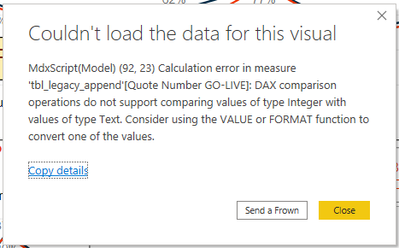
The error I receive is:
The expression contains multiple columns but only a a single coumn can be used in a true/false expression that is used a a table filter expression.
Any idea how I can count the number of quotes in Table 1 that are not "Standard" and occur after a certain date located in Table 2? Something tells me that I am overthinking this one.
Thanks!
Tom
@Frenchtom811 , check datatype T1[Process] should be text and 'T2'[GoDate] should be Date. else adjust the formula or data type
@Frenchtom811 , is one of the filters is on a measure?
Try like
GoQuote = CALCULATE(DISTINCTCOUNT(T1[Quote Number]),Filter(T1,T1[Process] <> "Standard") ,Filter('T2', 'T2'[GoDate] >= DATE(2020,11,16)))
Hello @amitchandak ! Thanks for the effort but I get the same error regarding the use of a True/False expression within a CALCULATE function.
@Frenchtom811 , Try like
GoQuote = CALCULATE(DISTINCTCOUNT(T1[Quote Number]),
T1[Process] <> "Standard" , 'T2'[GoDate] >= DATE(2020,11,16))
The Power BI Data Visualization World Championships is back! Get ahead of the game and start preparing now!
Check out the November 2025 Power BI update to learn about new features.
| User | Count |
|---|---|
| 20 | |
| 10 | |
| 9 | |
| 4 | |
| 4 |
| User | Count |
|---|---|
| 34 | |
| 31 | |
| 20 | |
| 12 | |
| 11 |