cancel
Showing results for 
Search instead for 
Did you mean: 

The Power BI Data Visualization World Championships is back! It's time to submit your entry. Live now!

Reply
IraWatt
Helper I
Helper I

dataviewmapping dataReductionAlgorithm not increasing number of rows inputted


  "dataViewMappings": [
    {

      "table": {
        "rows": {
          "select": [
            {
              "for": {
                "in": "column"
              }
            },
            {
              "for": {
                "in": "value"

              }
            },
            {
              "for": {
                "in": "value2"

              }
            },
            {
              "for": {
                "in": "value3"

              }
            },
            {
              "for": {
                "in": "value4"

              }
            },
            {
              "for": {
                "in": "value5"

              }
            },
            {
              "for": {
                "in": "value6"

              }
            }
          ]
        },
        "dataReductionAlgorithm": {
          "top": {
            "count": 30000
          }
        }
      }

    }
  ]


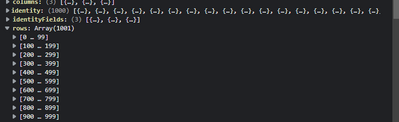
Ive added a datareduction to the first 30,000 but the visual still only brings in the first 1000 rows

IraWatt_0-1650731429140.png

Any thoughts to why are greatly appreciated


1 ACCEPTED SOLUTION
ripach
New Member

Hi,

the dataReductionAlgorithm-setting should be applied to the rows object, not to the whole table (see https://docs.microsoft.com/de-de/power-bi/developer/visuals/dataview-mappings#data-reduction-algorit... there is also an example for tables at the bottom). Try moving it inside the rows object:

"dataViewMappings": [
    {
      "table": {
        "rows": {
          "select": [
            ....
          ],
          "dataReductionAlgorithm": {
            "top": {
              "count": 30000
            }
          }
        }
      }
    }
  ]

Best regards,

Robert

View solution in original post

2 REPLIES 2
ripach
New Member

Hi,

the dataReductionAlgorithm-setting should be applied to the rows object, not to the whole table (see https://docs.microsoft.com/de-de/power-bi/developer/visuals/dataview-mappings#data-reduction-algorit... there is also an example for tables at the bottom). Try moving it inside the rows object:

"dataViewMappings": [
    {
      "table": {
        "rows": {
          "select": [
            ....
          ],
          "dataReductionAlgorithm": {
            "top": {
              "count": 30000
            }
          }
        }
      }
    }
  ]

Best regards,

Robert

Ah great spot thanks @ripach !

Helpful resources

Announcements
December 2025 Power BI Update Carousel

Power BI Monthly Update - December 2025

Check out the December 2025 Power BI Holiday Recap!

FabCon Atlanta 2026 carousel

FabCon Atlanta 2026

Join us at FabCon Atlanta, March 16-20, for the ultimate Fabric, Power BI, AI and SQL community-led event. Save $200 with code FABCOMM.

Top Solution Authors