Share feedback directly with Fabric product managers, participate in targeted research studies and influence the Fabric roadmap.
Sign up nowGet Fabric certified for FREE! Don't miss your chance! Learn more
Hello,
I'm using pbiviz to do some custom R HTML visuals. With capabilities.json, I'm able to control the dataset(s) exported from Power BI to the the R script (their names and their display names). But is it possible to export say a string to use as a title of the graphic? (for example if I use ggplot with ggtitle followed by ggploty). I mean a string that the user is able to choose.
Solved! Go to Solution.
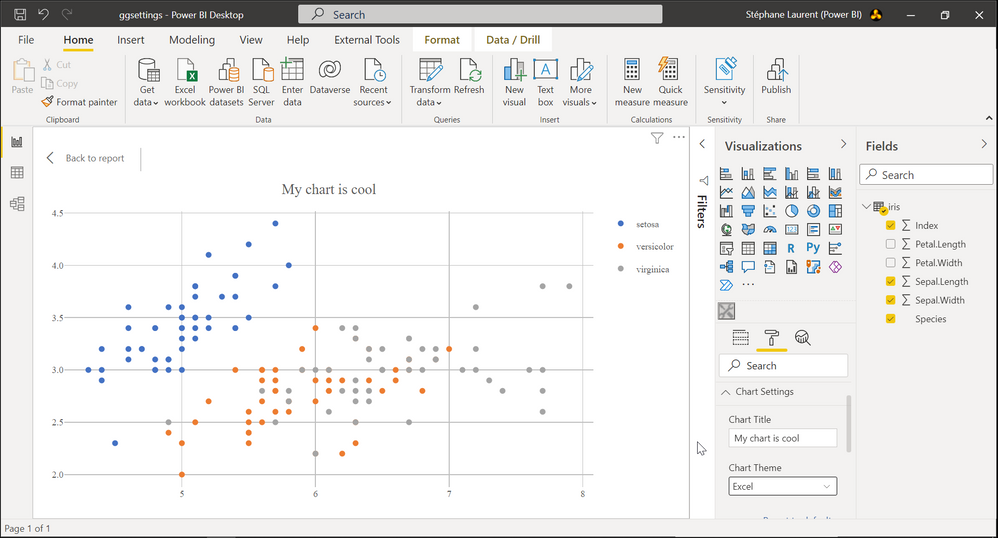
I managed to add a text input for setting a title and a dropdown list for setting a chart theme:
This is achieved by modifying two files: the file capabilities.json and the file src/settings.ts in the folder created by pbiviz.
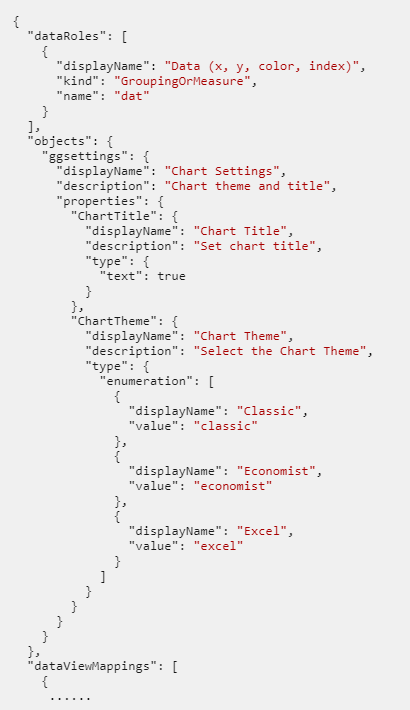
Here is the file capabilities.json. I modified the objects node:
And here is the TypeScript file src/settings.ts:
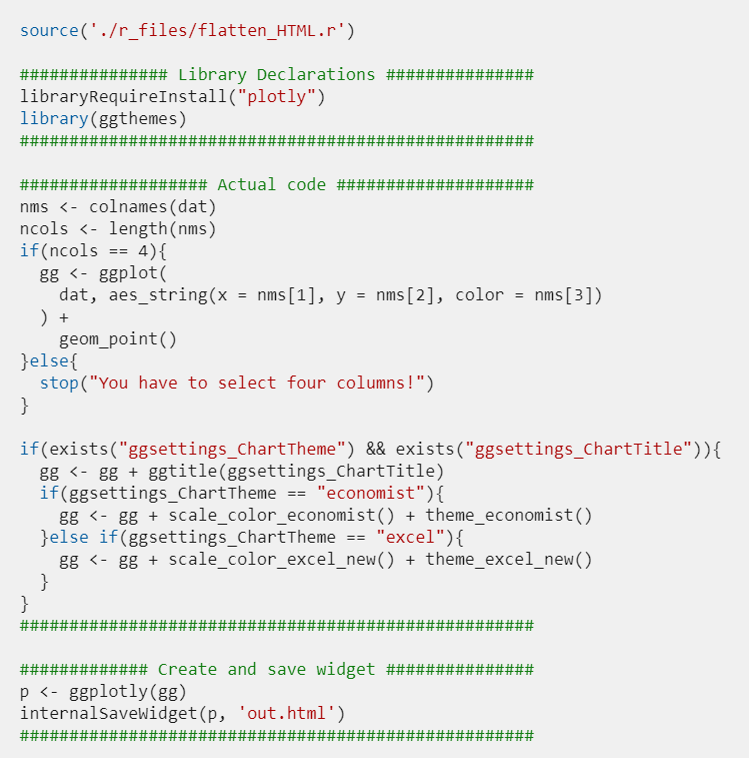
Then, in the file script.r, the title set by the user and the theme he chooses are named ggsettings_ChartTitle and ggsettings_ChartTheme respectively. But they won't be available at the first creation of the chart, so we have to check for their existence in the R script. Here is the full script I used:
I managed to add a text input for setting a title and a dropdown list for setting a chart theme:
This is achieved by modifying two files: the file capabilities.json and the file src/settings.ts in the folder created by pbiviz.
Here is the file capabilities.json. I modified the objects node:
And here is the TypeScript file src/settings.ts:
Then, in the file script.r, the title set by the user and the theme he chooses are named ggsettings_ChartTitle and ggsettings_ChartTheme respectively. But they won't be available at the first creation of the chart, so we have to check for their existence in the R script. Here is the full script I used:
Share feedback directly with Fabric product managers, participate in targeted research studies and influence the Fabric roadmap.