Join us at FabCon Atlanta from March 16 - 20, 2026, for the ultimate Fabric, Power BI, AI and SQL community-led event. Save $200 with code FABCOMM.
Register now!The Power BI Data Visualization World Championships is back! Get ahead of the game and start preparing now! Learn more
Hello,
I'm using pbiviz to do some custom R HTML visuals. With capabilities.json, I'm able to control the dataset(s) exported from Power BI to the the R script (their names and their display names). But is it possible to export say a string to use as a title of the graphic? (for example if I use ggplot with ggtitle followed by ggploty). I mean a string that the user is able to choose.
Solved! Go to Solution.
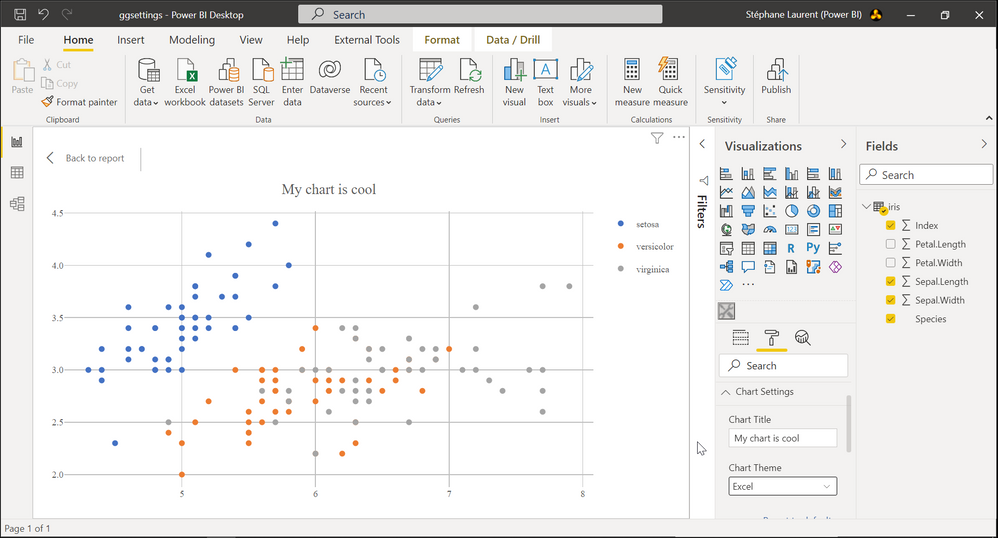
I managed to add a text input for setting a title and a dropdown list for setting a chart theme:
This is achieved by modifying two files: the file capabilities.json and the file src/settings.ts in the folder created by pbiviz.
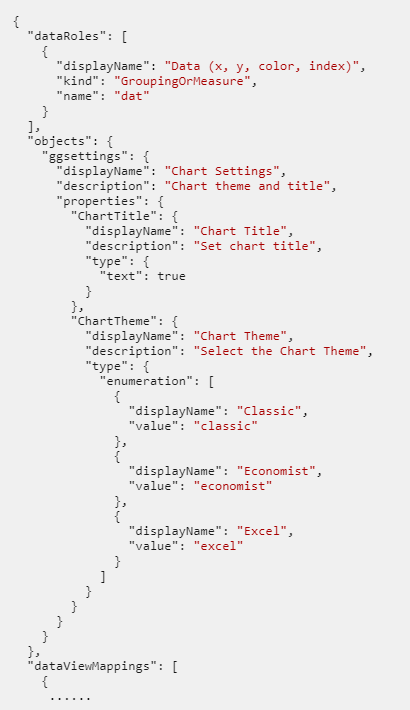
Here is the file capabilities.json. I modified the objects node:
And here is the TypeScript file src/settings.ts:
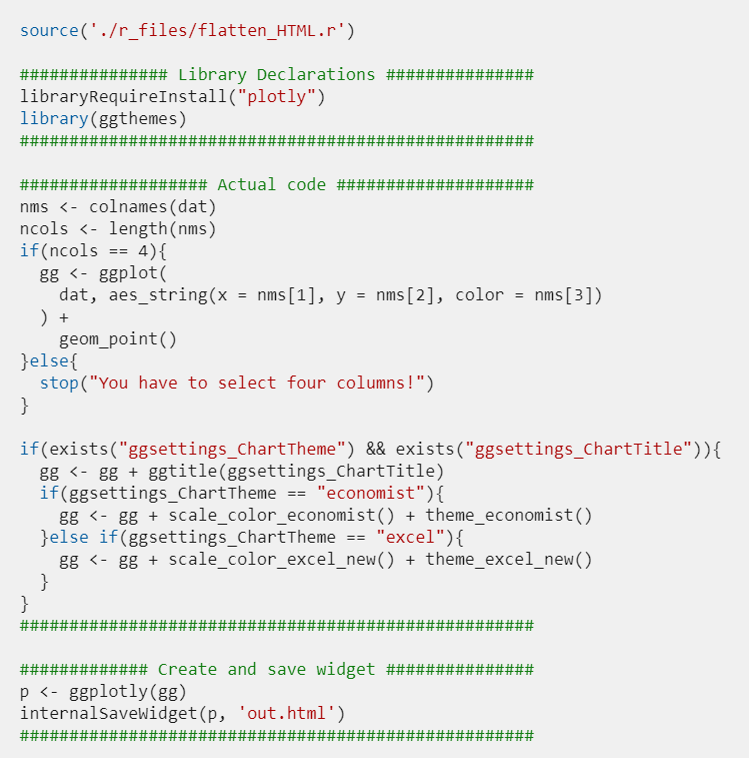
Then, in the file script.r, the title set by the user and the theme he chooses are named ggsettings_ChartTitle and ggsettings_ChartTheme respectively. But they won't be available at the first creation of the chart, so we have to check for their existence in the R script. Here is the full script I used:
I managed to add a text input for setting a title and a dropdown list for setting a chart theme:
This is achieved by modifying two files: the file capabilities.json and the file src/settings.ts in the folder created by pbiviz.
Here is the file capabilities.json. I modified the objects node:
And here is the TypeScript file src/settings.ts:
Then, in the file script.r, the title set by the user and the theme he chooses are named ggsettings_ChartTitle and ggsettings_ChartTheme respectively. But they won't be available at the first creation of the chart, so we have to check for their existence in the R script. Here is the full script I used:
The Power BI Data Visualization World Championships is back! Get ahead of the game and start preparing now!
| User | Count |
|---|---|
| 7 | |
| 5 | |
| 2 | |
| 2 | |
| 2 |