Join us at FabCon Atlanta from March 16 - 20, 2026, for the ultimate Fabric, Power BI, AI and SQL community-led event. Save $200 with code FABCOMM.
Register now!The Power BI Data Visualization World Championships is back! Get ahead of the game and start preparing now! Learn more
Hello
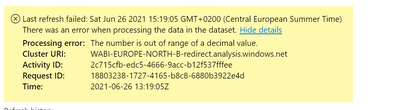
I've had a dataset that had been working fine with a Scheduled Refresh. Until recently where I did make some data transformations and published the new file. When I manually publish a version it works fine, but as soon as I set a scheduled refresh it fails and I'm confronted with this error.
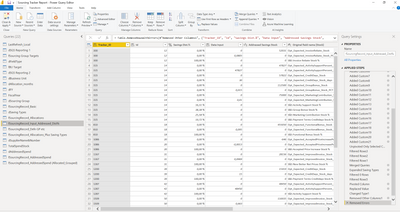
Furthermore I cannot even identify the table/ column where the error is located. When refreshing all tables it doesn't show me any errors.
Would appreciate some help.
Best Regards,
Brennan
I found a solution by editing the query. Go into the table if you can identify it and remove all errors. That helped me run the scheduled refresh.
However I haven't been able to isolate the error and correct it, since I am working with a large dataset.
I would appreciate it if therer was a community or network where you could yourself work hands-on in PowerBI and troubleshoot. Please do let me know if such a group does exist, I would very much like to offer help as well and knowledge share.
Having the same exact issue. Any solution?
I figured out my issue. I had some data that didn't come through right and was showing up as "0". I was later dividing that number so when it tried to divide by 0, it hit an infinite number. Problem solved now.
Same for me! I just replaced errors with 0 and it was fixed
Mine was caused by the same issue, dividing by 0 and getting infinity.
I am having the same issue. No changes were made but the scheduled refresh is giving that error even though manually it is fine.
The Power BI Data Visualization World Championships is back! Get ahead of the game and start preparing now!