Join us at FabCon Atlanta from March 16 - 20, 2026, for the ultimate Fabric, Power BI, AI and SQL community-led event. Save $200 with code FABCOMM.
Register now!The Power BI Data Visualization World Championships is back! Get ahead of the game and start preparing now! Learn more
Hi all,
I am totally new to Power BI. So I have a lot more to learn, but to speed up things, I am going to ask my question here.
I currently having the below visual table:
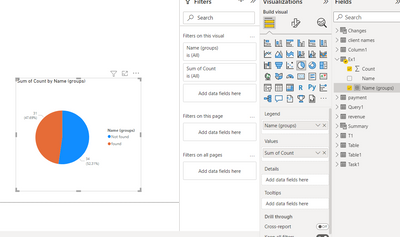
How can I create a Pie Chart visual with this visual table that it will just showing the owner of NOT FOUND and also all the owner as a group?
I mean my pie chart should looks like 34 NOT FOUND and 31 FOUND only.
Your guidance is very much appreciated.
Thank you!
Solved! Go to Solution.
Hi there,
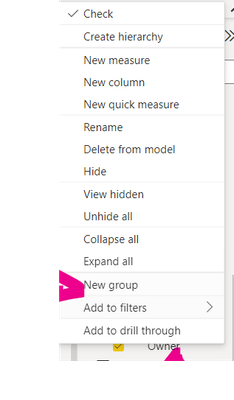
right click on your column owner and create a new group
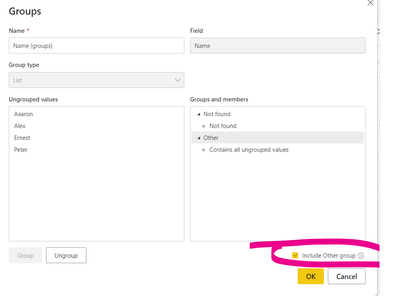
Select Not found then Group
Tick include other values
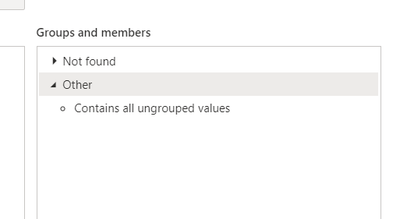
Click twice on the Other, if you need to rename it
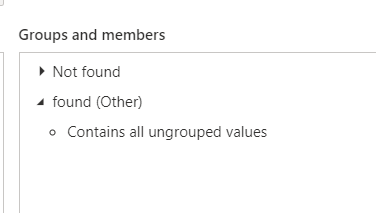
There you have it
Hi there,
right click on your column owner and create a new group
Select Not found then Group
Tick include other values
Click twice on the Other, if you need to rename it
There you have it
The Power BI Data Visualization World Championships is back! Get ahead of the game and start preparing now!