- Power BI forums
- Get Help with Power BI
- Desktop
- Service
- Report Server
- Power Query
- Mobile Apps
- Developer
- DAX Commands and Tips
- Custom Visuals Development Discussion
- Health and Life Sciences
- Power BI Spanish forums
- Translated Spanish Desktop
- Training and Consulting
- Instructor Led Training
- Dashboard in a Day for Women, by Women
- Galleries
- Data Stories Gallery
- Themes Gallery
- Contests Gallery
- QuickViz Gallery
- Quick Measures Gallery
- Visual Calculations Gallery
- Notebook Gallery
- Translytical Task Flow Gallery
- TMDL Gallery
- R Script Showcase
- Webinars and Video Gallery
- Ideas
- Custom Visuals Ideas (read-only)
- Issues
- Issues
- Events
- Upcoming Events
Learn from the best! Meet the four finalists headed to the FINALS of the Power BI Dataviz World Championships! Register now
- Subscribe to RSS Feed
- Mark Topic as New
- Mark Topic as Read
- Float this Topic for Current User
- Bookmark
- Subscribe
- Printer Friendly Page

- Mark as New
- Bookmark
- Subscribe
- Mute
- Subscribe to RSS Feed
- Permalink
- Report Inappropriate Content
jira
Hi People,
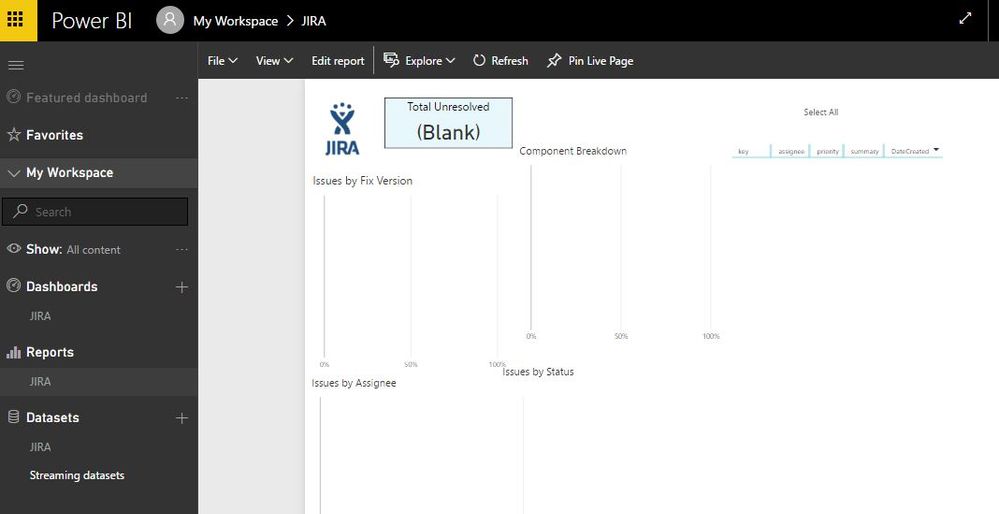
I was able to connect the JIRA Content Pack to my JIRA on premisse installation. But, when I access the PowerBI, I can't see my data from JIRA.
I Can access all pages, but without any data. Is there something that I need to do to see the data?
Thanks in advance.
Jaime

Solved! Go to Solution.


- Mark as New
- Bookmark
- Subscribe
- Mute
- Subscribe to RSS Feed
- Permalink
- Report Inappropriate Content
If you are using on Premises JIRA or the cloud service, you just need to provide your JIRA URL and credentials. Once the connection has completed, Power BI will automatically create an out-of-the-box dashboard, report, and dataset with data from JIRA. Please refer to this document for details.
If you see blank data, I think you should go to Datasets settings – Data source credentials to see if the credentials are valid.
Best Regards,
Herbert


- Mark as New
- Bookmark
- Subscribe
- Mute
- Subscribe to RSS Feed
- Permalink
- Report Inappropriate Content
Hello @jbertozzi
Hello,
I’d like to propose and alternative solution for you, you may connect your Jira on-premise to Power BI with the help of our app - Power BI Connector for Jira: https://marketplace.atlassian.com/apps/1221150/power-bi-connector-for-jira?hosting=cloud&tab=overvie... it's available for Jira Server / Data Center.
We have a handy User/Admin Guide and fast/responsive support team at support@alpha-serve.com. Please let us know if you need any assistance.
Cheers!
Anton
===
If this post helps, then please consider Accept it as the solution to help the other members find it more quickly.

- Mark as New
- Bookmark
- Subscribe
- Mute
- Subscribe to RSS Feed
- Permalink
- Report Inappropriate Content
hello - curious, how we're you able to use the contect pack w/ your on prem JIRA data? Did you start in PowerBI desktop? If so, what data source did you you use?
I've been looking for days for a way to use this w/ our on prem JIRA as we do not have JIRA cloud.... 😞
Thanks!
Isaac

- Mark as New
- Bookmark
- Subscribe
- Mute
- Subscribe to RSS Feed
- Permalink
- Report Inappropriate Content
I managed to solve this by adding https:// in front of my URL
- Mark as New
- Bookmark
- Subscribe
- Mute
- Subscribe to RSS Feed
- Permalink
- Report Inappropriate Content
If you are using on Premises JIRA or the cloud service, you just need to provide your JIRA URL and credentials. Once the connection has completed, Power BI will automatically create an out-of-the-box dashboard, report, and dataset with data from JIRA. Please refer to this document for details.
If you see blank data, I think you should go to Datasets settings – Data source credentials to see if the credentials are valid.
Best Regards,
Herbert
- Mark as New
- Bookmark
- Subscribe
- Mute
- Subscribe to RSS Feed
- Permalink
- Report Inappropriate Content
I'll preface this by saying I'm not the Jira Admin and a novice using PowerBI. I'm evaluating usin this tool versus another plugin in Jira. I'd much rather use this tool. With that...
I'm using an on premise version of Jira. After following the instructions given here I'm getting the following error after refresh:
OLE DB or ODBC error:[Datasource.Error] Web contents failed to get contents from 'http://xxx.xxx.xxx.xxx:xxxx//rest/api/2/search?
maxResults=500&startAT=0' (404):not found.
The fields are there but none of the data. Any insight would be appreciated. Thanks for your time.
- Mark as New
- Bookmark
- Subscribe
- Mute
- Subscribe to RSS Feed
- Permalink
- Report Inappropriate Content
Check is you putting the name of servicedesk project in the URL. In my case, the data only was showed with this.
The authentication tha t are you using is integrated ou simple?
- Mark as New
- Bookmark
- Subscribe
- Mute
- Subscribe to RSS Feed
- Permalink
- Report Inappropriate Content
Thank you for your reply. ServiceDesk is in the URL
Double checking my credentials. Using Basic with my Jira credentials to log in.
- Mark as New
- Bookmark
- Subscribe
- Mute
- Subscribe to RSS Feed
- Permalink
- Report Inappropriate Content
Yes, it was a problem with refresh data. After refresh data, the data appeared.
Thanks.

Helpful resources

New to Fabric Survey
If you have recently started exploring Fabric, we'd love to hear how it's going. Your feedback can help with product improvements.

Power BI DataViz World Championships - June 2026
A new Power BI DataViz World Championship is coming this June! Don't miss out on submitting your entry.

Join our Fabric User Panel
Share feedback directly with Fabric product managers, participate in targeted research studies and influence the Fabric roadmap.

Power BI Community Update - March 2026
Check out the March 2026 Power BI update to learn about new features.


