HI @Anonymous ,
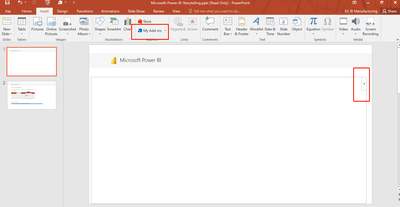
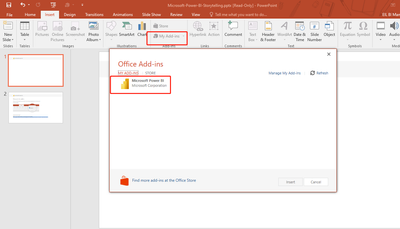
To use the Power BI add-in for PowerPoint, you must have access to the Office add-in store, or the add-in must be available to you as an admin managed add-in.
To be able to view live Power BI data in PowerPoint, you must have an active Power BI account and a Power BI Free license, as well as access to the data. If the Power BI report isn't located in a Premium capacity, a Power BI Pro license is needed.
And it with the below limitations:
- The Power BI storytelling add-in requires WebView2 to run Power BI in PowerPoint. WebView2 comes standard on recent Windows versions, but if you get an error when you try to use the add-in, you may need to install it manually. See Troubleshoot the Power BI add-in for PowerPoint for details.
- The Power BI add-in for PowerPoint does not support business-to-business (B2B) scenarios.
- The Power BI add-in for PowerPoint is not supported in national clouds.
To learn more details ,refer:
https://learn.microsoft.com/en-us/power-bi/collaborate-share/service-power-bi-powerpoint-add-in-about
In addition, this is a PREVIEW feature, there may be many aspects of the current imperfection, please look forward to the subsequent continuous improvement of the feature.
Best Regards
Lucien