cancel
Showing results for 
Search instead for 
Did you mean: 

The Power BI Data Visualization World Championships is back! Get ahead of the game and start preparing now! Learn more

Reply
Svecpec
New Member

app.powerbi not showing report content

I've created dashboard in power BI Desktop. Published it to My workspace successfully. Used the link and then nothing loads up, just the overlay. When I try to open the report from the workspace, nothing happens.


Thank you for your suggestions


P.

1 ACCEPTED SOLUTION
v-yuta-msft
Community Support
Community Support

@U332 ,


The external user you shared with also need to purchase a pro license so that they can view the shared content.


Regards,

Jimmy Tao

View solution in original post

3 REPLIES 3
v-yuta-msft
Community Support
Community Support

@U332 ,


The external user you shared with also need to purchase a pro license so that they can view the shared content.


Regards,

Jimmy Tao

U332
Regular Visitor

Yes PowerBI desktop does pop a window like that.  There is no error messages when I veiw the report in the PowerBI service.  I can view it fine in app.powerbi.com  


External users whom I have shared the report with are unable to view the report.  They do not recieve any error message.  Just the spinning wheel.   

v-yuta-msft
Community Support
Community Support

@Svecpec ,


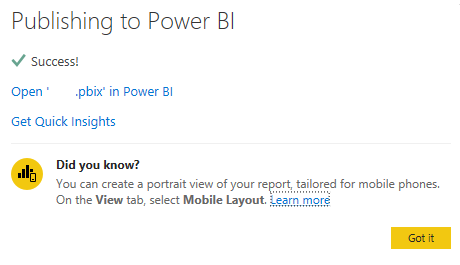
Does power bi desktop pop a window like below when you published the report? If so, is there any error message when you open the published report on power bi service side?

Capture.PNG 


Regards,

Jimmy Tao

Helpful resources

Announcements
Power BI DataViz World Championships

Power BI Dataviz World Championships

The Power BI Data Visualization World Championships is back! Get ahead of the game and start preparing now!

December 2025 Power BI Update Carousel

Power BI Monthly Update - December 2025

Check out the December 2025 Power BI Holiday Recap!

FabCon Atlanta 2026 carousel

FabCon Atlanta 2026

Join us at FabCon Atlanta, March 16-20, for the ultimate Fabric, Power BI, AI and SQL community-led event. Save $200 with code FABCOMM.