Join us at FabCon Atlanta from March 16 - 20, 2026, for the ultimate Fabric, Power BI, AI and SQL community-led event. Save $200 with code FABCOMM.
Register now!The Power BI Data Visualization World Championships is back! Get ahead of the game and start preparing now! Learn more
In the new version of the powerbi website the refresh status of the datasets have been removed.
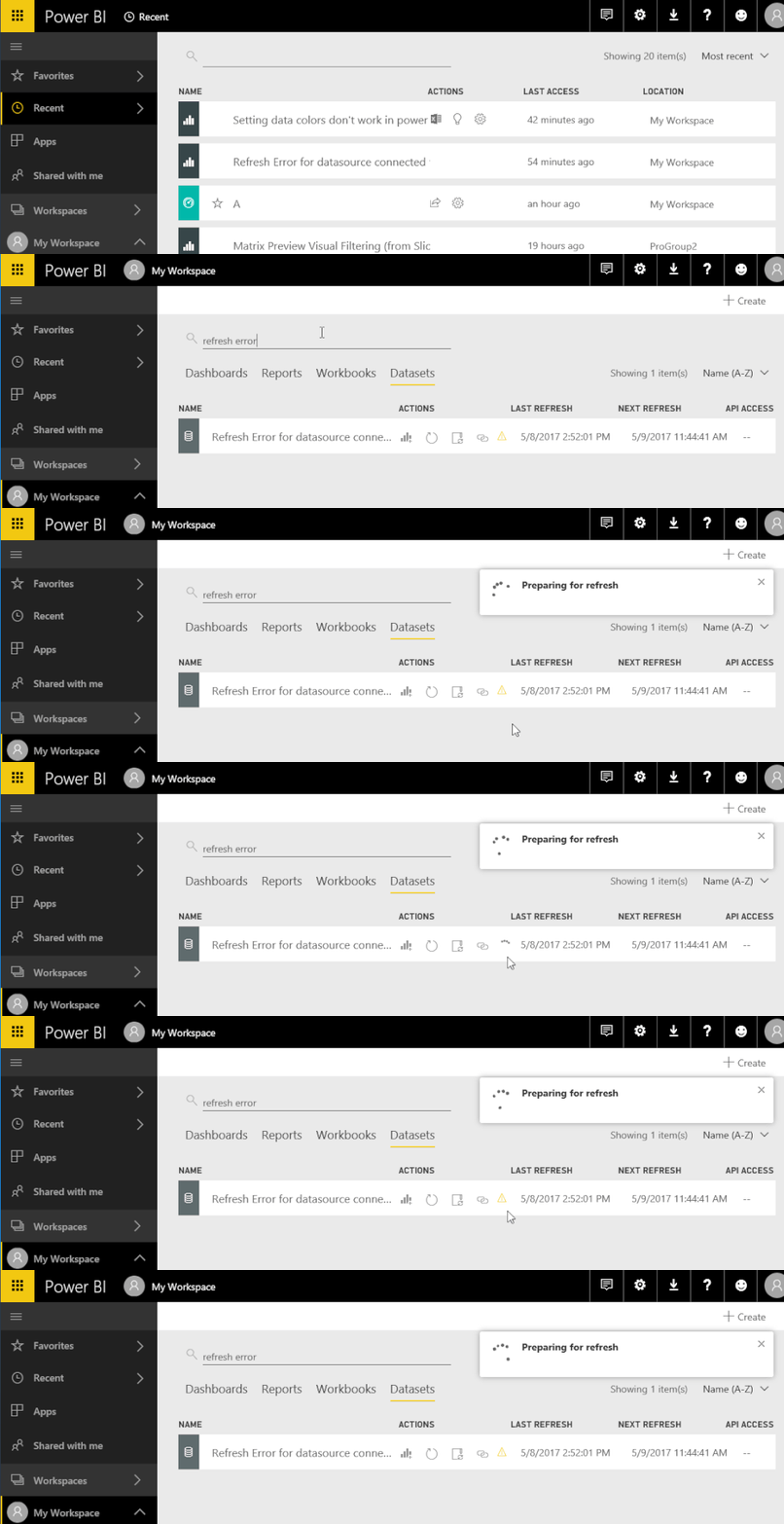
This would show a spinning circle of dots whilst refreshing and a yellow exclamation mark (!) if there was a failure on the refresh.
This was very useful to quickly determine if the dataset had refreshed successfully or was in the process of refreshing. Now you have to look on each dataset and check refresh history? This indicator was where the red line was in the picture below.
Solved! Go to Solution.
This feature still exists but in different page, please refer to following gif to see where and how it works now.
Best Regards,
Herbert
This feature still exists but in different page, please refer to following gif to see where and how it works now.
Best Regards,
Herbert
Your Gif was helpful in finding it, thank you for that. Having to go to different pages to see such basic and important information, however, is not all that helpful. I hope they change this back.
Phil
You can mark the right answer as solution so that others who have the same question can find the right answer quickly.
Best Regards,
Herbert
Check out the November 2025 Power BI update to learn about new features.
Advance your Data & AI career with 50 days of live learning, contests, hands-on challenges, study groups & certifications and more!