This time we’re going bigger than ever. Fabric, Power BI, SQL, AI and more. We're covering it all. You won't want to miss it.
Learn moreLevel up your Power BI skills this month - build one visual each week and tell better stories with data! Get started
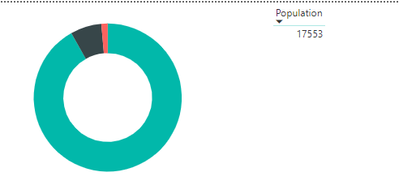
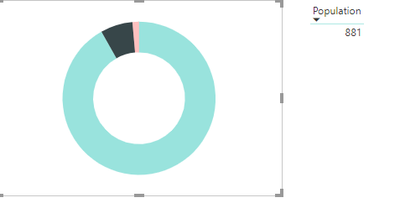
I clicked on the value of bar chart and table show the value of selected, but when I click on table value 881 the table return back to default value 17553 instead of hold on 881. Please advise, as I need to have another table show details of 881 when select on it.
Hi @Anonymous ,
When you click the table visual which has been filtered, it will remove the filter to return the full dataset. Could you please share the target result to us for analysis? Why will you click on the filtered result again?
Best Regards,
Teige
Hi @TeigeGao ,
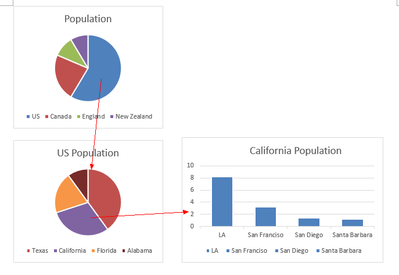
Actually I will have 3 bar charts, 1st bar chart will display population of each country, 2nd bar chart will display population of each state after 1st bar chart selected country, and 3rd bar chart will display population of each city after 1st and 2nd bar selected country and state. But when I selected one of state from 2nd bar chart, 1st, 2nd and 3rd bar charts returned to previous value (default) which show all population.
Sample as side: when select US population at 1st chart, then 2nd chart will show US population by states. After select California state from 2nd chart it will display the state population by cities at 3rd chart. All the charts will stay as per selected instead of refresh to previous.
Check out the April 2026 Power BI update to learn about new features.
Sign up to receive a private message when registration opens and key events begin.
If you have recently started exploring Fabric, we'd love to hear how it's going. Your feedback can help with product improvements.
| User | Count |
|---|---|
| 11 | |
| 9 | |
| 9 | |
| 7 | |
| 6 |
| User | Count |
|---|---|
| 45 | |
| 27 | |
| 25 | |
| 22 | |
| 22 |