This time we’re going bigger than ever. Fabric, Power BI, SQL, AI and more. We're covering it all. You won't want to miss it.
Learn moreLevel up your Power BI skills this month - build one visual each week and tell better stories with data! Get started
Hi Cummunity,
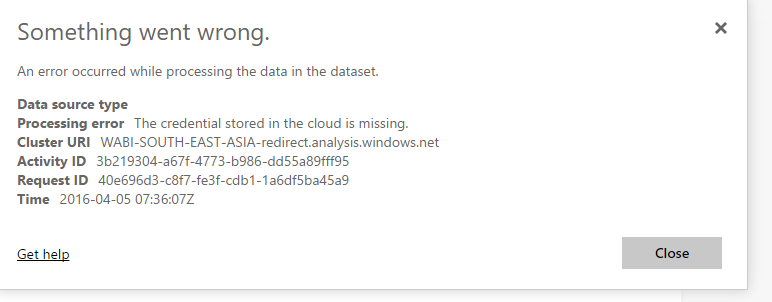
any idea how to solve this probelm?
my gateway was offline, and reconnected and all went well. other Dataset were rectified, but this particular Dataset didn't update.
Thanks in Advance
Have you gone into the settings for that data in Power BI and made sure that the credentials were included - sometimes you have to go in and do it a few times before it accepts the credentials.
@austinsense I did that, and still nothing has happned. I really don't want to delete the Dataset and publish it again. so many dashboards connected to it...
This is frustrating - I'm trying to think through all of the problems I've had but nothing like this has happened to me .. yet.
Ah here's an idea that might work, load the dataset into Power BI again - don't overwrite/update the current dataset just start from the beginning and create another copy of it - in the past this has mysteriously fixed issues like this for me.
Check out the April 2026 Power BI update to learn about new features.
Sign up to receive a private message when registration opens and key events begin.
If you have recently started exploring Fabric, we'd love to hear how it's going. Your feedback can help with product improvements.
| User | Count |
|---|---|
| 10 | |
| 10 | |
| 7 | |
| 7 | |
| 6 |
| User | Count |
|---|---|
| 24 | |
| 23 | |
| 22 | |
| 21 | |
| 21 |