This is best Fabric, Power BI, SQL and AI community event. How do we know? The last event sold out! Save €200 with code FABCMTY200.
Register nowA new Data Days event is coming soon! This time we’re going bigger than ever. Fabric, Power BI, SQL, AI and more. Don't miss out.
Hello,
I am having troubles using an Oracle DB as source for PBI Reports within the service.
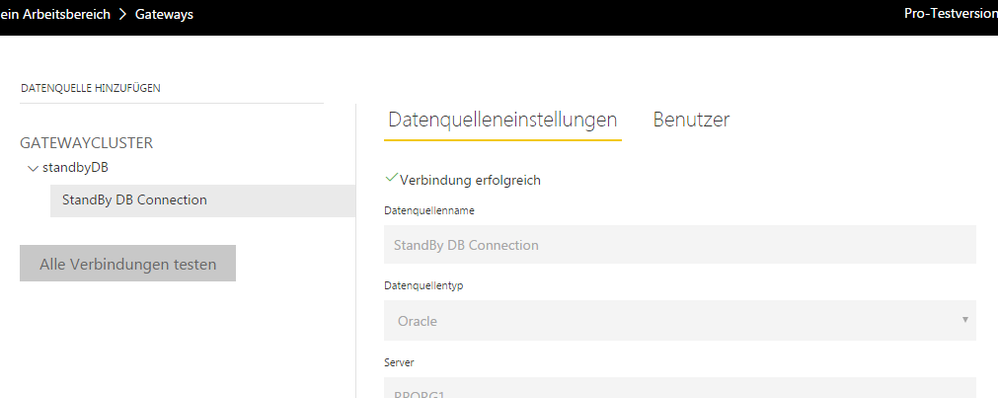
I did install the gateway (enterprise – not personal) successfully. In PBI-Service I could establish the connection - see screenshot:
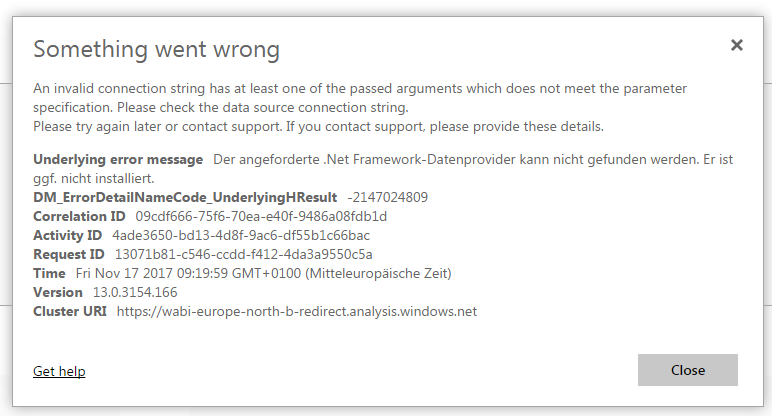
However when opening a report I do get an error (it says something about a missing .Net Framework Dataproviders. See second screenshot:
On the gateway client PC I installed the following driver: http://www.oracle.com/technetwork/database/windows/downloads/index-090165.html
Any help is highly appreciated!
Chris
Solved! Go to Solution.
I wasn't able to solve this error. However running the gateway on a different PC did the trick. I assume it must have had something to do with the .net installation on the first PC.....
Hi @Anonymous,
It would be better if you could translate the entire error message to English for more analysis.
I researched the general error "missing .Net Framework Dataproviders.", maybe you could try to uninstall and reinstall the .Net Framework and restart your server. Also, check the machine.config file, remove the extra entry of DbProviderFactories.
Reference:
Error: Unable to find the requested .Net Framework Data Provider. It may not be installed.
Details: "Unable to find the requested .Net Framework Data Provider. It may not be installed."
Best regards,
Yuliana Gu
thanks for your help! Where are currently reinstalling the .Net framework - I will also check for the DbProviderFactories entry and let you know!
In the meantime heres the error message in English! (I don't think I can change the part that stayed german. It just says that the .Net Dataprovider can't be found and may not be installed!)
Best regards,
chris
Hello again!
Unfortunatly reinstalling .Net did not do the trick. Also I did not have multiple DbProviderFactories entries in the machine.config file. So any help is still very welcome!
Thanks,
Chris
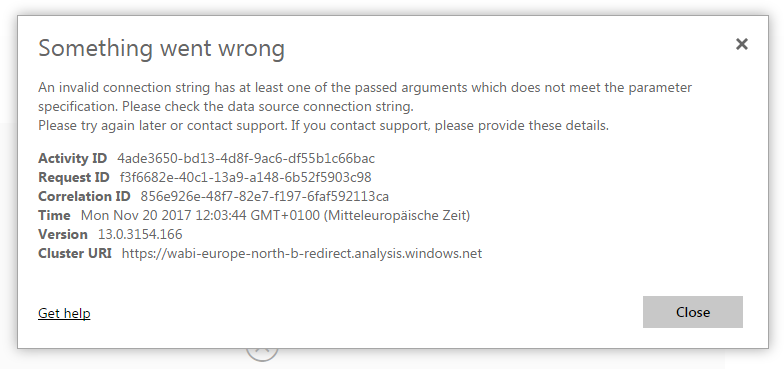
I noticed that the error message is now a different one:
As mentioned above the gataway connection seems to be working (green checkmark) so I can't figure out the problem might be here!
Thanks!
Chris
I took a look at the logfiles and found this to be the last errror message within the logfile:
GatewayPipelineErrorCode=DM_GWPipeline_UnknownError InnerType=ArgumentException InnerMessage=<pi>Unable to find the requested .Net Framework Data Provider. It may not be installed.</pi> InnerToString=<pi>System.ArgumentException: Unable to find the requested .Net Framework Data Provider. It may not be installed. at System.Data.Common.DbProviderFactories.GetFactory(String providerInvariantName) at Microsoft.PowerBI.DataMovement.Pipeline.GatewayDataAccess.OracleConnectionProvider.<OpenConnectionAsync>d__5.MoveNext()
If helpfull I can post the entire logfile - please let me know!
Thanks!
Chris
I wasn't able to solve this error. However running the gateway on a different PC did the trick. I assume it must have had something to do with the .net installation on the first PC.....
Check out the May 2026 Power BI update to learn about new features.
Sign up to receive a private message when registration opens and key events begin.
If you have recently started exploring Fabric, we'd love to hear how it's going. Your feedback can help with product improvements.
| User | Count |
|---|---|
| 8 | |
| 8 | |
| 7 | |
| 7 | |
| 7 |
| User | Count |
|---|---|
| 21 | |
| 21 | |
| 18 | |
| 16 | |
| 11 |