Join us at FabCon Atlanta from March 16 - 20, 2026, for the ultimate Fabric, Power BI, AI and SQL community-led event. Save $200 with code FABCOMM.
Register now!The Power BI Data Visualization World Championships is back! Get ahead of the game and start preparing now! Learn more
Hi! I am facing an issue with RLS. I have defined RLS roles such that some roles have filter for a particular region, and others have filter for a particular category for all regions. Now groups with bulk members have been added to these roles. Recently, the users in the groups are facing the issue that if they are in two groups assigned to conflicting roles like the above, the visuals do not load due to role conflict. I wanted to know if there was any way I could keep the current RLS setup undisturbed, and get Power BI to show the least restrictive filter of the two or a union of the two?
The error message for the same is:
The query encountered security filters on a table relationship that cannot be reconciled for the current user. Please contact your administrator or developer to review role memberships and security definitions.
Please try again later or contact support. If you contact support, please provide these details.Hide details
Hi @Anonymous this is not really what I am facing. My issue is that the individuals who have been added to more than one role (inside security groups) are not being able to see any visual. In short, they are facing the error that the model is not loading for them.
Hi @Macha ,
There is a restriction on RLS in the official documentation:
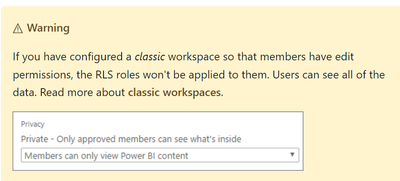
When you use RLS, the role of the user in the workspace must be View, otherwise the RLS fails and the user sees all the data
Best Regards,
Liu Yang
If this post helps, then please consider Accept it as the solution to help the other members find it more quickly.
The Power BI Data Visualization World Championships is back! Get ahead of the game and start preparing now!
| User | Count |
|---|---|
| 56 | |
| 55 | |
| 32 | |
| 18 | |
| 14 |