Join us at FabCon Atlanta from March 16 - 20, 2026, for the ultimate Fabric, Power BI, AI and SQL community-led event. Save $200 with code FABCOMM.
Register now!Get Fabric Certified for FREE during Fabric Data Days. Don't miss your chance! Request now
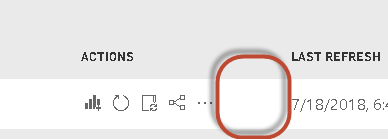
The Refresh logo is not showing in the PBI service.
I have the same , refresh info is not present while refresh is in progress.
RobertG.
I am also seeing the same issue. Does anyone know if this is by design?
Hi all,
The fix should reach production this week.
Best Regards,
Qiuyun Yu
Hi @Anonymous,
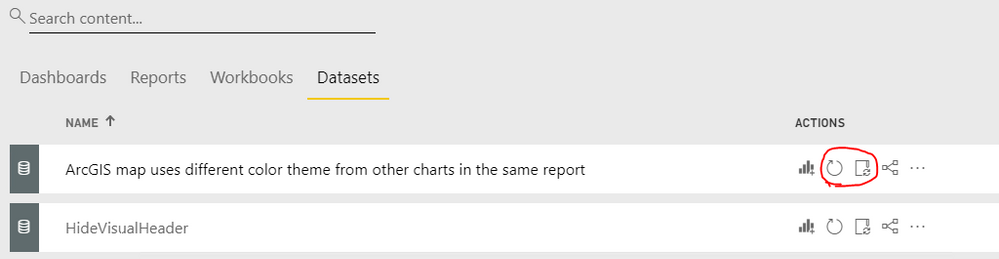
When you access Power BI service, you can go to Datasets tab, there is a Refresh Now and Schedule Refresh button if the dataset supports refresh.
Before refreshing, we need to specify credentials for data sources and configure gateway if required, see: https://docs.microsoft.com/en-us/power-bi/refresh-data
Best Regards,
Qiuyun Yu
I can get the refresh started but there used to be a status icon that would let you know if the refresh was in progress. why is that not in the service anymore?
Check out the November 2025 Power BI update to learn about new features.
Advance your Data & AI career with 50 days of live learning, contests, hands-on challenges, study groups & certifications and more!