cancel
Showing results for 
Search instead for 
Did you mean: 

The Power BI Data Visualization World Championships is back! Get ahead of the game and start preparing now! Learn more

Reply
Anonymous
Not applicable

Rebind Power Bi report to a new dataset

Hi Guys,


I wish to refresh a report(already present in workspace from a pbix file) as per a new dataset. So, I am using Rebind Report REST api. The new dataset is a csv file I uploaded and I am passing the appropriate request body and header. I am getting Response 200 as well. 

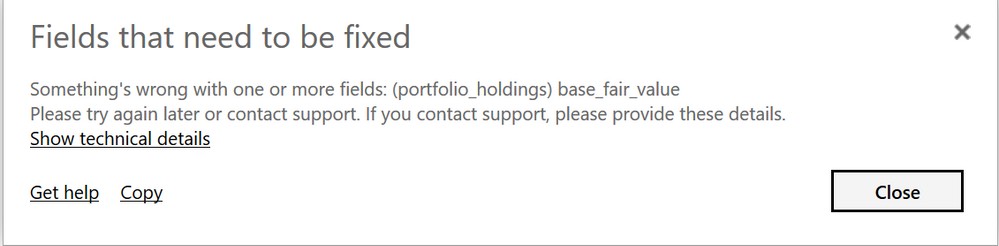
But, the report is not updated as per the new dataset  even though the column schema and evrything is same except data changes. It shows below error. Can someone please help on this.

pbi_error.PNG

2 REPLIES 2
v-lili6-msft
Community Support
Community Support

hi, @Anonymous 

You may try to download the pbix file and delete the dataset in power bi service, then test it in power bi desktop and  republish it again.


Best Regards,

Lin


Community Support Team _ Lin
If this post helps, then please consider Accept it as the solution to help the other members find it more quickly.
Anonymous
Not applicable

Hey @v-lili6-msft , It only works if I keep the table name same in dataset. But, anyway I want to automate report generation based on different datasets. So, I can't do it manually. Even if I keep the same table name for different datasets, the report gets refreshed but I am not able to export that report by rxport api. I get an error 'ExportPBIX_ModelessWorkbookNotFound'. Any help on this please.

Helpful resources

Announcements
Power BI DataViz World Championships

Power BI Dataviz World Championships

The Power BI Data Visualization World Championships is back! Get ahead of the game and start preparing now!

December 2025 Power BI Update Carousel

Power BI Monthly Update - December 2025

Check out the December 2025 Power BI Holiday Recap!

FabCon Atlanta 2026 carousel

FabCon Atlanta 2026

Join us at FabCon Atlanta, March 16-20, for the ultimate Fabric, Power BI, AI and SQL community-led event. Save $200 with code FABCOMM.