cancel
Showing results for 
Search instead for 
Did you mean: 

Get Fabric Certified for FREE during Fabric Data Days. Don't miss your chance! Request now

Reply
thabrich
Frequent Visitor

Python Visuals In Power BI Service Dashboard

Hello,


I got an issue with python visuals in Power BI Service Dashboards.

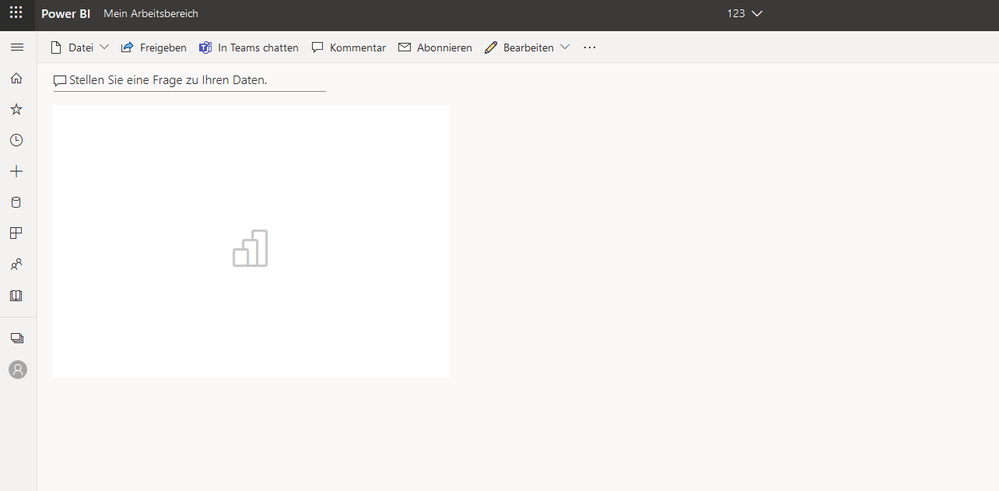
I created a python visual in BI Desktop which works well. Also, when uploading it to a report in power BI service, the visual is still visibile. However, after appending it to a dashboard the visual does not load correctly anymore. I only see a box with the bi logo instead of my visual.


Are there any known issues with the python visual in power Bi dashboards?

Is there a limit to loading times for python visuals?

Can I optimize the python code to make it work in a dashboard?


Thanks

5 REPLIES 5
Anonymous
Not applicable

Hi  @thabrich  ,


After my test, I can display the Python visual object in the dashboard, whether there is a problem in which step of your operation.

Or you can delete sensitive data from your pbix file and publish it, I use your pbix file to see if it can be displayed.


Best Regards,

Liu Yang

If this post helps, then please consider Accept it as the solution to help the other members find it more quickly.

This is what a python visual from your example looks like when I pin it to a dashboardThis is what a python visual from your example looks like when I pin it to a dashboard

I simply used the example provided by microsoft and pinned it to a dashboard. That's what the result on my dashboard is. There is no need to share my own file, since the it happens with the demo already.


Thanks,

Thilo

Anonymous
Not applicable

Hi  @thabrich ,


There are some limits for python visual in Power BI service. Please refer to:
https://powerbi.microsoft.com/en-us/blog/python-visualizations-in-power-bi-service/
https://www.ahaapps.com/microsoft-power-bi-service-with-python-visualizations/

https://docs.microsoft.com/en-us/power-bi/connect-data/desktop-python-visuals


Best Regards,

Liu Yang

If this post helps, then please consider Accept it as the solution to help the other members find it more quickly.

Hi @Anonymous,


thanks for replying to my question. I checked the constrains and they are not the issue.

However, I downloaded your samples for testing from github and I'm facing the same issue.

With your own visual, also after the attachment of the python visual to the dashboard, the visual does not show on the dashboard.


Have you ever experienced something similar?


Thanks,

Thilo

Helpful resources

Announcements
November Power BI Update Carousel

Power BI Monthly Update - November 2025

Check out the November 2025 Power BI update to learn about new features.

Fabric Data Days Carousel

Fabric Data Days

Advance your Data & AI career with 50 days of live learning, contests, hands-on challenges, study groups & certifications and more!

FabCon Atlanta 2026 carousel

FabCon Atlanta 2026

Join us at FabCon Atlanta, March 16-20, for the ultimate Fabric, Power BI, AI and SQL community-led event. Save $200 with code FABCOMM.

Top Solution Authors
Top Kudoed Authors