Join us at FabCon Atlanta from March 16 - 20, 2026, for the ultimate Fabric, Power BI, AI and SQL community-led event. Save $200 with code FABCOMM.
Register now!The Power BI Data Visualization World Championships is back! Get ahead of the game and start preparing now! Learn more
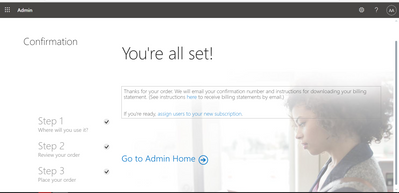
Hi, I purchased the PowerBI Premium License 3 days ago but it is still not updgraded to premium. Trail expiration still keeps popping up. When I completed the subscription purchase, it should that You are all set and will receieve an email regarding invoice and all. However, its been 3 days and I have not been charged so far and trail is expiring in 1 day. Any help on how to solve this?
Hi @atif624,
Please check the billing notifications and invoice attachments in Microsoft admin center.
If you have successfully purchased a premium license, you can see the invoice details here.
For more information about how to purchase Premium, please refer:
https://docs.microsoft.com/en-us/power-bi/admin/service-admin-premium-purchase
If you still have some question, please don't hesitate to let me known.
Best Regards,
Link
Is that the answer you're looking for? If this post helps, then please consider Accept it as the solution. Really appreciate!
Thanks for helping. In my admin center, I can only see the Power BI Pro (free) version, but when I purchased it showed me this:
Now I am not sure if this takes time or should I just go for another purchase?
Hey @atif624 ,
check the available licenses in the Admin center,
If the licenses appear, you have to assign them to the users.
If the purchased licenses do not appear get in touch with MSFT.
if they
Regards,
Tom
Hey @atif624 ,
Not sure if you are talking Premium Per User licence or a Premium capacity.
If you are talking about Premium Per User, then check your M 365 licenses, login to
login.microsoftonline.com
go to the Licenses site of the Admin Center, here you will all your licenses, here is a screenshot of my 2 Premium Per User add-on, this can be used to upgrade already existing Pro licenses to. Premium Per User licenses:

No matter which license you bought exactly, either the Add-on or the full Premium Per User license, you have to assign this license to the users, there is no automatic upgrade.
if you bought a Premium capacity you have to assign the workspaces to the capacity: https://docs.microsoft.com/en-us/power-bi/admin/service-premium-capacity-manage
Hopefully, this helps to tackle your challenge.
Regards,
Tom
The Power BI Data Visualization World Championships is back! Get ahead of the game and start preparing now!