Join us at FabCon Atlanta from March 16 - 20, 2026, for the ultimate Fabric, Power BI, AI and SQL community-led event. Save $200 with code FABCOMM.
Register now!The Power BI Data Visualization World Championships is back! Get ahead of the game and start preparing now! Learn more
Hi all
I have created a report in Desktop with a table. One of the measures in this table is a simple CALCULATE function, which gives me the result I am looking for.
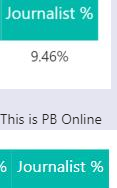
When I publish this report to the service, the measure is blank eg)
Does anyone know of a reason as to why a measure would give an output in Desktop but not in service?
Thanks!
Solved! Go to Solution.
Hi @Anonymous ,
This is a weird issue actually. This seems to be a bug more than any issue.
On a regular basis, whatever you see in the desktop should appear as it is in services.
You can try the below:
1. Refresh the dataset once in services
2. Delete report from workspace and publish again
3. Check from different browsers. Sometimes issue persists only for some browser. Try in Edge or Internet Explorer once
4. One issue might be the size of visual, check by increasing the size of visual once
If nothing gets corrected after the above 4, you should raise a support ticket here.
Give a thumbs up if this post helped you in any way and mark this post as solution if it solved your query !!!
Hi @Anonymous ,
This is a weird issue actually. This seems to be a bug more than any issue.
On a regular basis, whatever you see in the desktop should appear as it is in services.
You can try the below:
1. Refresh the dataset once in services
2. Delete report from workspace and publish again
3. Check from different browsers. Sometimes issue persists only for some browser. Try in Edge or Internet Explorer once
4. One issue might be the size of visual, check by increasing the size of visual once
If nothing gets corrected after the above 4, you should raise a support ticket here.
Give a thumbs up if this post helped you in any way and mark this post as solution if it solved your query !!!
Thanks @Anand24
Appreciate the tips, tried them all and seems to have resolved itself.
Kudos given 🙂
@Anonymous,
Awesome !!!
You can probably accept it as a solution since it resolved your query 🙂
Thanks !
The Power BI Data Visualization World Championships is back! Get ahead of the game and start preparing now!
| User | Count |
|---|---|
| 48 | |
| 46 | |
| 44 | |
| 16 | |
| 15 |