Join us at FabCon Atlanta from March 16 - 20, 2026, for the ultimate Fabric, Power BI, AI and SQL community-led event. Save $200 with code FABCOMM.
Register now!Learn from the best! Meet the four finalists headed to the FINALS of the Power BI Dataviz World Championships! Register now
Hi
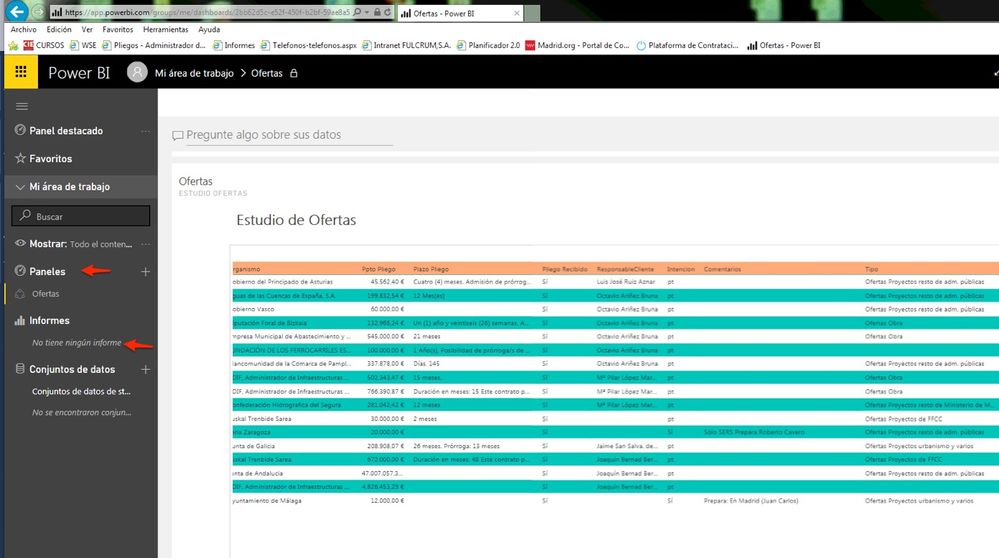
When I publish my Report from Power BI Desktop to my Panel BI Services I see my Reports and the I can create my different Panels
Then I share the panels with other users but these users when login in her Power Bi service only see the panel not the reports
So the can not export the data to Excel for example and this is a vey importatn issue
Any idea please?
regards
Solved! Go to Solution.
The dashboard the user must click on the name of the report within the dashboard tile to be taken to the report. Then to export the data, they would click the three dots at the top corner of the report visual.
Proud to be a Super User!
The dashboard the user must click on the name of the report within the dashboard tile to be taken to the report. Then to export the data, they would click the three dots at the top corner of the report visual.
Proud to be a Super User!
Share feedback directly with Fabric product managers, participate in targeted research studies and influence the Fabric roadmap.
Check out the February 2026 Power BI update to learn about new features.