This time we’re going bigger than ever. Fabric, Power BI, SQL, AI and more. We're covering it all. You won't want to miss it.
Learn moreLevel up your Power BI skills this month - build one visual each week and tell better stories with data! Get started
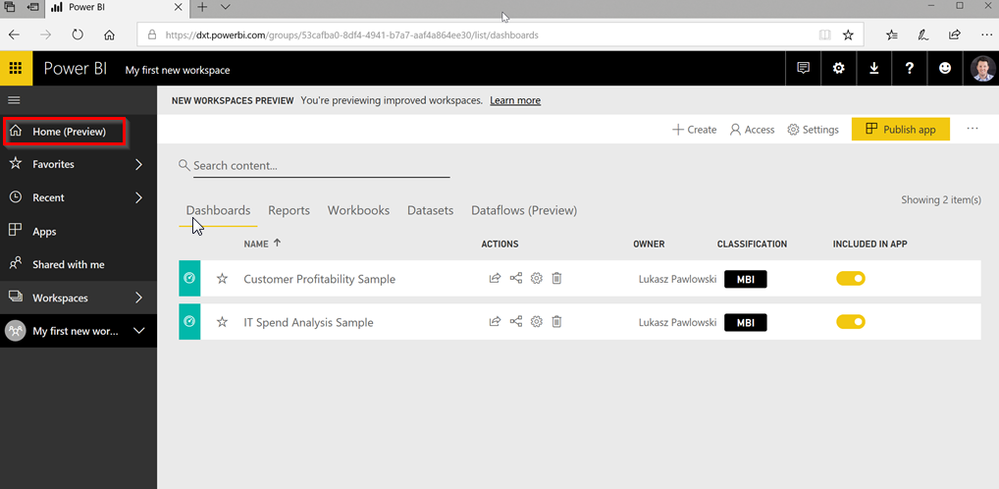
I see few images online with the new "Home (Preview)".
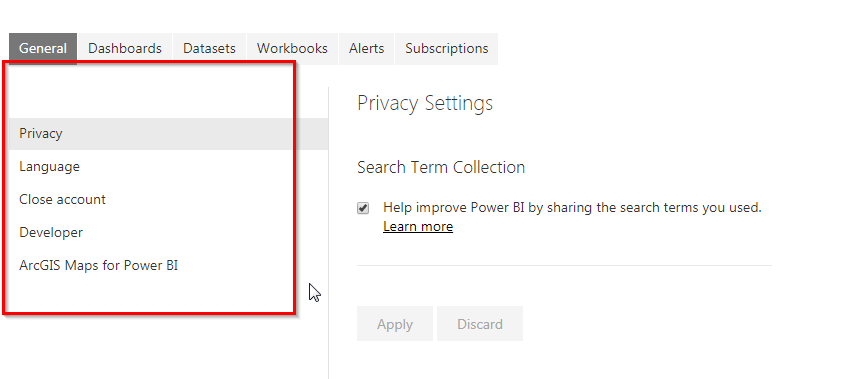
I checked my settings page, but there is no option for preview tab.
How can I get the preview enabled?
Should we reachout to Microsoft to get our tenent added or is it controled by our Admins?
Solved! Go to Solution.
@Anonymous Agreed. But you would have seen an announcement that they released it in preview, and there hasn't been one. (like the new workspace) I did double check my environment and there was nothing to enable from an admin perspective for the new Home Page. Hang tight, I'm sure it will be out soon.
@Anonymous The information is out there because it was announced at the Business Applications Summit. However, they were announcing the roadmap through October, so there are features that have not yet been released. This is one of them.
@Anonymous That is right, Home button might be releasing in Ocotober 2018 as they announced in Summit.
But I think we can get them as a preview ahead of the time, like last year when they are chaging how workspaces open on the second blade.
At that time I started to use that feature atleaset 3 - 4 months before they are available generally by enabling the preivew on the setting in power bi service.
I am trying to do the same now. But I am not sure if they are controled by Microsoft or our internal admin team.
@Anonymous Agreed. But you would have seen an announcement that they released it in preview, and there hasn't been one. (like the new workspace) I did double check my environment and there was nothing to enable from an admin perspective for the new Home Page. Hang tight, I'm sure it will be out soon.
Sign up to receive a private message when registration opens and key events begin.
If you have recently started exploring Fabric, we'd love to hear how it's going. Your feedback can help with product improvements.
| User | Count |
|---|---|
| 11 | |
| 10 | |
| 7 | |
| 7 | |
| 6 |
| User | Count |
|---|---|
| 27 | |
| 23 | |
| 22 | |
| 22 | |
| 18 |