cancel
Showing results for 
Search instead for 
Did you mean: 

The Power BI Data Visualization World Championships is back! Get ahead of the game and start preparing now! Learn more

Reply
Georgia94
Regular Visitor

Help! Sales progress funnel chart

Hi,


I'm trying to run a funnel chart to measure the progress of opportunities through the sales pipeline. I'm sure its glaringly obvious, but I can't seem to

a) create a timeframe (I know there's a slicer but it doesn't seem to work) in order to see progress over certain periods

and b) pulling the right information so that I can see how many opportunities are at each stage. Ideally I'd like the funnel layers to be 10% at the top-100% at the bottom with the number of each opportunity that's sitting at that stage. So that I can slide the time along and compare how many opportunities made it all the way through to close.


Sorry for the garbled explanation, but if anyone can help it would be really appreciated!


G. 

1 ACCEPTED SOLUTION
Sagarkansal
Advocate I
Advocate I

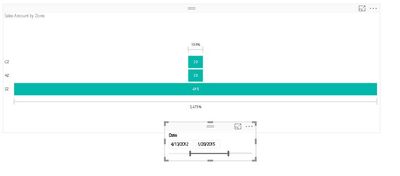
Do u want something like this.funnel.JPG

View solution in original post

6 REPLIES 6
Sagarkansal
Advocate I
Advocate I

Do u want something like this.funnel.JPG

Yes please, how did you get the date slider and the funnel?

@Georgia94.....

1. You need to update your Power BI to the latest November Update.

2. Provide the sample data so that I can give the custom steps required according to you.


@Sagarkansal

Do you mean update Power BI desktop? I'm currently working off the free online Power BI tool.


Sorry to be a bit dim, but what do you mean provide the sample data? Do you mean all of our opportunities broken down into the pipeline stage that they're at?  

I have downloaded Power BI desktop with the november upgrade but I can't link to insightly when I go to get data. I can only connect to insightly online.

@Georgia94


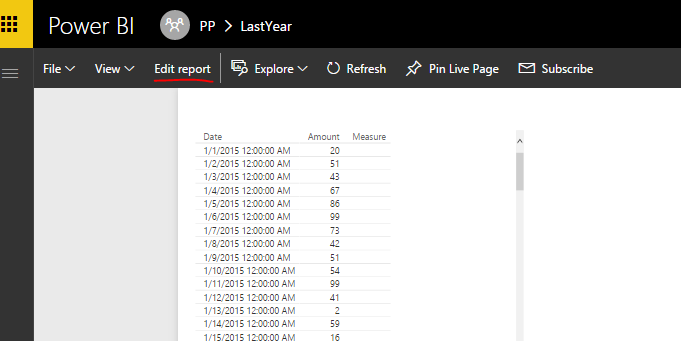
On Power BI Service, for each report from your insightly content pack, you can switch into Edit Mode.


123.PNG


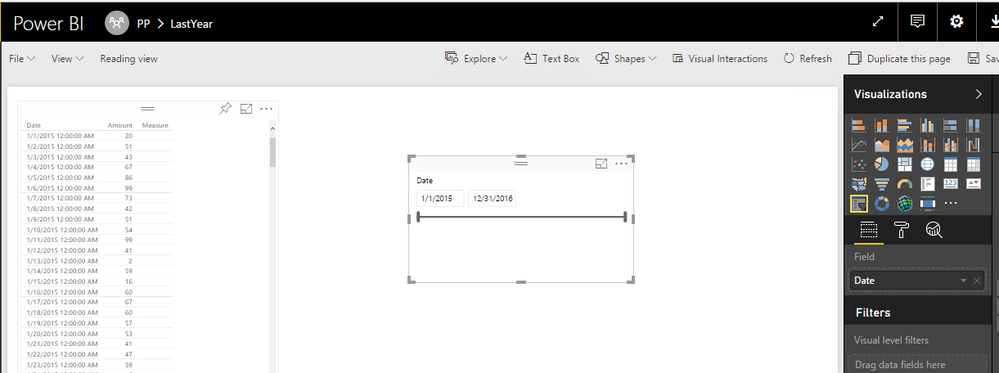
Then you can add a slicer into your report. Make sure you populate a date field, it will appear into a timeline automatically.


124.PNG


Reference:
Visualize your Insightly CRM data with Power BI


Regards,


Helpful resources

Announcements
Power BI DataViz World Championships

Power BI Dataviz World Championships

The Power BI Data Visualization World Championships is back! Get ahead of the game and start preparing now!

December 2025 Power BI Update Carousel

Power BI Monthly Update - December 2025

Check out the December 2025 Power BI Holiday Recap!

FabCon Atlanta 2026 carousel

FabCon Atlanta 2026

Join us at FabCon Atlanta, March 16-20, for the ultimate Fabric, Power BI, AI and SQL community-led event. Save $200 with code FABCOMM.