Get certified for free when you join Fabric Data Days 2026 and dive into Fabric, Power BI, SQL, AI, and other essential data skills.
Join nowData Days is here! Join us now for 60+ days of learning, challenges, and connection. Learn more
Hi everybody,
I am exporting the data in Excel using the "Analyze in Excel" function, as you can see in the photo below:
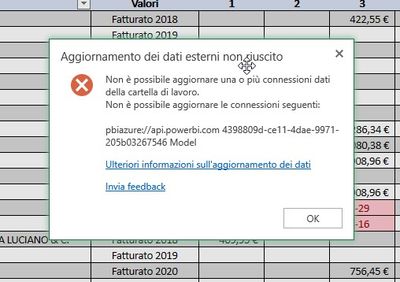
Then I am creting some graph and chart and I would like to share the Excel file also with other member of my company. Some of my collegues have a Power BI license and access to the data and others not, but I get always the following error:
Could you please help me in solving it?
Many thanks to everyone!
Diego
First off, "Analyze in Excel" is different from Export. It creates a cached connection to the Power BI dataset that users with Build permissions can refresh.
Are you running on Power BI Pro or Power BI Premium? If you are not on Premium then all users of your Excel file need a PRO license if they want to REFRESH the connection. But if you refresh the connection and then send the Excel file around the non- Pro users can also see the data (just not refresh it)
Thank you Ibendlin, but I have tried also today to share an Excel file with an user (who has a Power BI Pro License) and he is still not able to refresh the data. I have also set him as "Owner" of the dataset and of the Working Space but nothing. Still the same error.
Do you have any suggestion about it?
Many Thanks
Diego
Don't miss out on Data Days, June 15 through August 7. Learn Fabric, Power BI, SQL, AI and more.
Check out the May 2026 Power BI update to learn about new features.
| User | Count |
|---|---|
| 16 | |
| 10 | |
| 10 | |
| 8 | |
| 7 |
| User | Count |
|---|---|
| 40 | |
| 36 | |
| 35 | |
| 28 | |
| 20 |