Join us at FabCon Atlanta from March 16 - 20, 2026, for the ultimate Fabric, Power BI, AI and SQL community-led event. Save $200 with code FABCOMM.
Register now!The Power BI Data Visualization World Championships is back! Get ahead of the game and start preparing now! Learn more
Solved! Go to Solution.
Hi @Anonymous,
1. Please check if your purchased capacity support paginated reports feature according to this document:
https://docs.microsoft.com/en-us/power-bi/service-premium#workloads-in-premium-capacity.
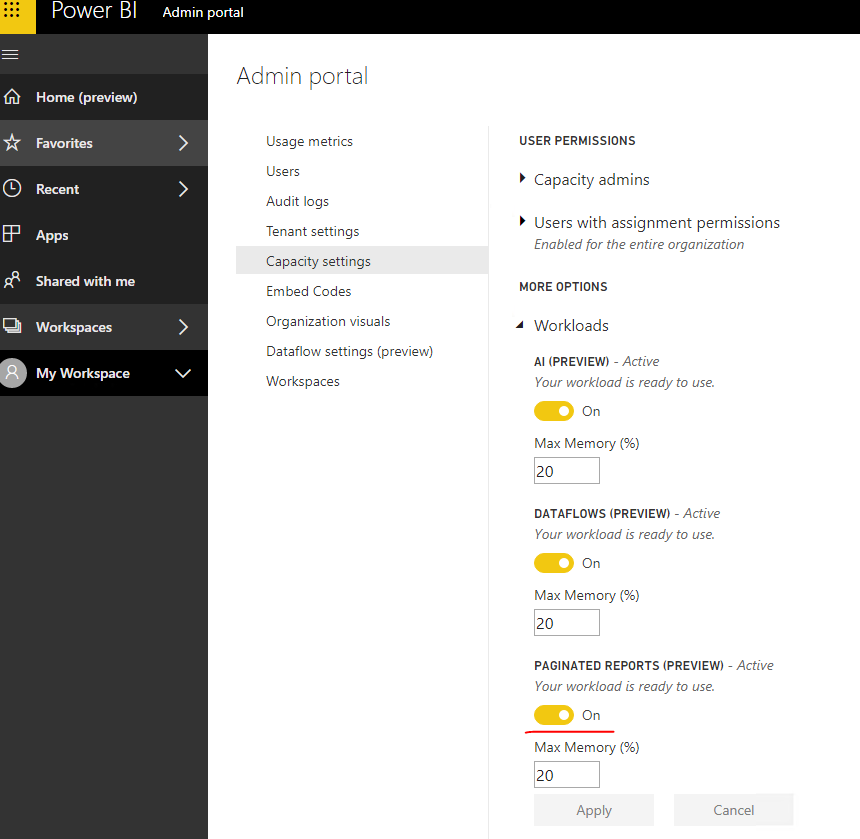
2. Please check if the paginated reports feature is enabled for this capacity:
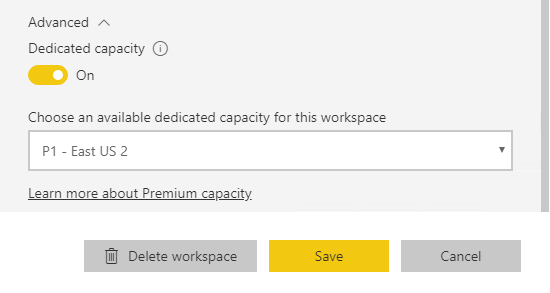
3. Please check if the workspace which you would publish the paginated report to has premium capacity assigned:
Best Regards,
Qiuyun Yu
Hi @v-qiuyu-msft,
It's solved. The embedded service was initialy setup with A1. For paginated reports A4 is the minimum.
Regards,
Klaus
Hi @Anonymous,
Glad to hear the issue is resolved now
. I will close this thread.
Best Regards,
Qiuyun Yu
Hi @v-qiuyu-msft,
It's solved. The embedded service was initialy setup with A1. For paginated reports A4 is the minimum.
Regards,
Klaus
Hi @v-qiuyu-msft,
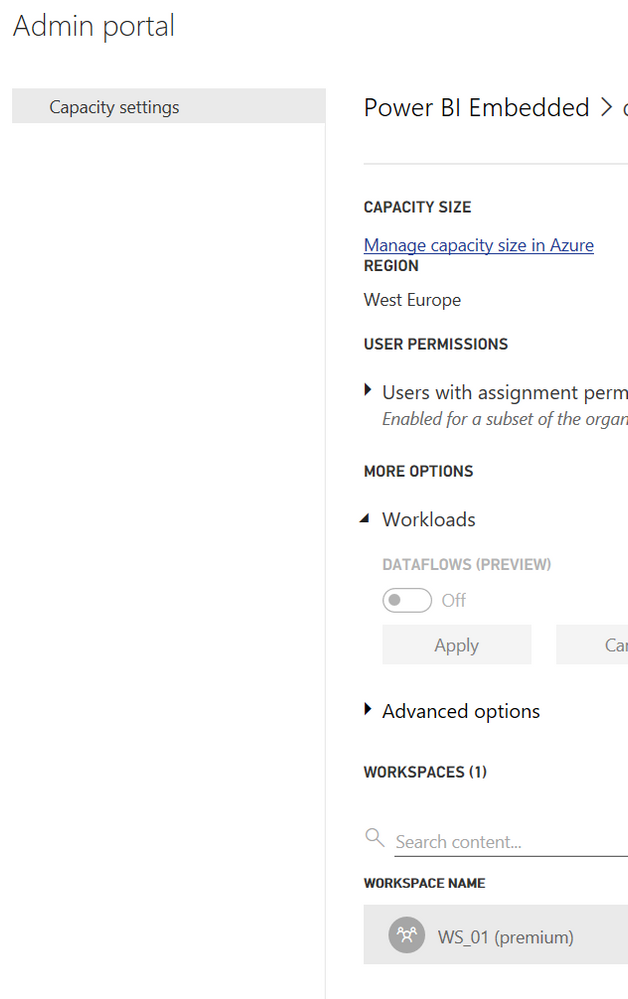
My capacity settings only show flow settings, nothing about pagination. I'm owner and admin of the embedded service and i'm service admin. Even the admin and owner of the azure services and ad doesn't get more settings.
Regards,
Klaus
Hi @Anonymous,
1. Please check if your purchased capacity support paginated reports feature according to this document:
https://docs.microsoft.com/en-us/power-bi/service-premium#workloads-in-premium-capacity.
2. Please check if the paginated reports feature is enabled for this capacity:
3. Please check if the workspace which you would publish the paginated report to has premium capacity assigned:
Best Regards,
Qiuyun Yu
The Power BI Data Visualization World Championships is back! Get ahead of the game and start preparing now!
Check out the November 2025 Power BI update to learn about new features.