cancel
Showing results for 
Search instead for 
Did you mean: 

A new Data Days event is coming soon! This time we’re going bigger than ever. Fabric, Power BI, SQL, AI and more. Don't miss out.

Reply

Datetime filter on dashboard

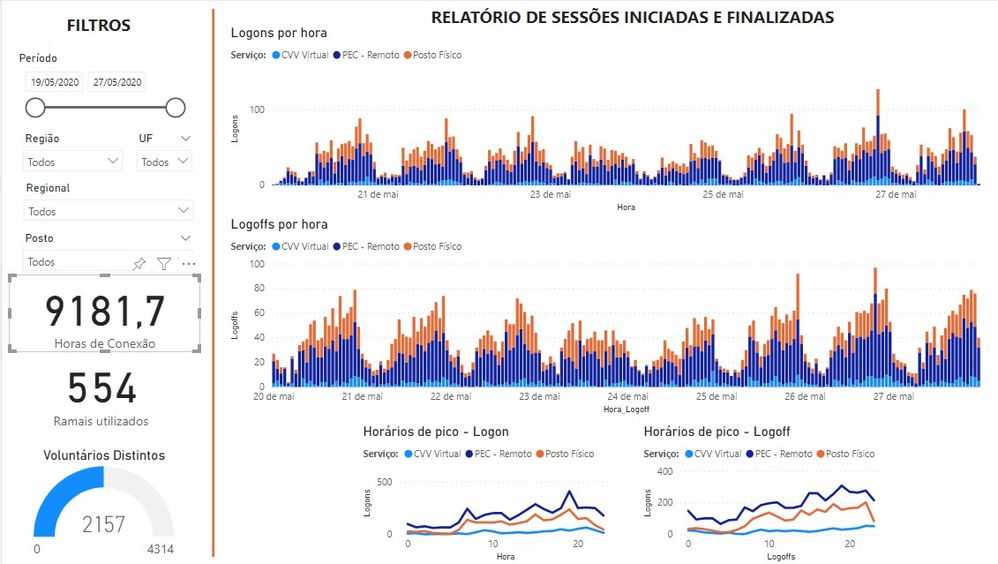
Hello, is there any possibility to include a filter button with date and time? I was only able to include this button with a date, without the possibility of defining the start and end time of the filter. The field is datetime.


duvida_filtro.jpg

2 ACCEPTED SOLUTIONS
GilbertQ
Super User
Super User

Hi there

Currently you would need to have another button which would be relative time?

The relative time is a new feature in the May version of Power BI Desktop.


Did I answer your question? Mark my post as a solution!

Proud to be a Super User!


Power BI Blog

View solution in original post

v-xicai
Community Support
Community Support

Hi @admfabiomachado ,


It is not supported to display DateTime in Between, After, Before, Relative Date option of slicer visual in Power BI currently . There is an idea about this issue, please vote it up,  Datetime slicer, and you can add your comments there to improve Power BI and make this feature coming sooner.


As workaround, you may create two TimeTable  for Hour and Minute like DAX below, see more details: Date and Time slicer from Calendar table.  


startTimeTable = GENERATESERIES ( TIME ( 0, 0, 0 ), TIME ( 23, 59, 0 ), TIME ( 0, 1, 0 ) )


Best Regards,

Amy 


Community Support Team _ Amy

If this post helps, then please consider Accept it as the solution to help the other members find it more quickly.


View solution in original post

2 REPLIES 2
v-xicai
Community Support
Community Support

Hi @admfabiomachado ,


It is not supported to display DateTime in Between, After, Before, Relative Date option of slicer visual in Power BI currently . There is an idea about this issue, please vote it up,  Datetime slicer, and you can add your comments there to improve Power BI and make this feature coming sooner.


As workaround, you may create two TimeTable  for Hour and Minute like DAX below, see more details: Date and Time slicer from Calendar table.  


startTimeTable = GENERATESERIES ( TIME ( 0, 0, 0 ), TIME ( 23, 59, 0 ), TIME ( 0, 1, 0 ) )


Best Regards,

Amy 


Community Support Team _ Amy

If this post helps, then please consider Accept it as the solution to help the other members find it more quickly.


GilbertQ
Super User
Super User

Hi there

Currently you would need to have another button which would be relative time?

The relative time is a new feature in the May version of Power BI Desktop.


Did I answer your question? Mark my post as a solution!

Proud to be a Super User!


Power BI Blog

Helpful resources

Announcements
May Power BI Update Carousel

Power BI Monthly Update - May 2026

Check out the May 2026 Power BI update to learn about new features.

Fabric SQL PBI Data Days

Data Days 2026 coming soon!

Sign up to receive a private message when registration opens and key events begin.

New to Fabric survey Carousel

New to Fabric Survey

If you have recently started exploring Fabric, we'd love to hear how it's going. Your feedback can help with product improvements.

Power BI DataViz World Championships carousel

Power BI DataViz World Championships - June 2026

A new Power BI DataViz World Championship is coming this June! Don't miss out on submitting your entry.